Sweet 3D Foods
📦 A playful set of glossy 3D desserts and snacks. For sharing cravings, dessert love, and cute food reactions. The 'Sweet 3D Foods' pack includes 11 stickers with great variety. Free download to install on WhatsApp.
-

🌮 Chocolate Taco
A taco-shaped treat filled with cream, chocolate, and cookies. For rich dessert vibes and fun food posts.
-

🥞 Pancake Tower
A tall buttery stack of pancakes with syrup and a butter cube. For breakfast cravings or extra cozy vibes.
-

🍓 Strawberry Swiss Roll
A strawberry-filled roll cake topped with whole berries and cream. For cute dessert cravings and pink moods.
-

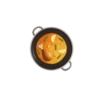
🍳 Sunny Egg
A glossy fried egg with a bright yolk and soft whites. For simple hunger, breakfast, or cute food reactions.
-

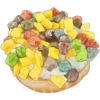
🍫 Chocolate Bun
A round chocolate bun with a creamy bite taken out. For chocolate cravings and bakery-style comfort.
-

🍜 Ramen Bowl
A full bowl of ramen with toppings, chopsticks, and spoon. For hungry moments and satisfying meal vibes.
-

🥞 Stack of Pancakes
A fluffy pancake stack topped with cream and blueberries. When you want something sweet and cozy.
-

🍓 Strawberry Roll
A soft pink roll cake crowned with strawberries and cream. For sweet cravings and cute dessert moods.
-
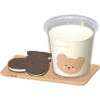
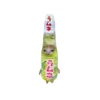
🥛 Cookie Cup
A cute cup of milk with cookies on a tray. For snack time, sweetness, and cozy breaks.
-

🍉 Watermelon Slice
A glossy watermelon wedge with tiny seeds and a green rind. For summer refreshment and fruity sweetness.
-
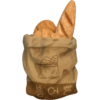
🥖 Bread Bag
A paper bag packed with bread and a baguette. For grocery runs, snack time, or bakery moods.
Download and Install on WhatsApp
The Sticker Maker app is necessary to install this sticker pack on your WhatsApp. If you don't have it, download it from: Google Play Store and App Store. Once you have it on your phone, follow these instructions:
- Download the sticker file we provide below (it has the .wastickers extension). Locate the downloaded file on your mobile and tap it. Your device will ask you which application you want to open it with; select Sticker Maker. The app will automatically recognize the file as a new sticker pack.
- Once you see the pack inside Sticker Maker, just press the button that says "Add to My Library", then "Add to WhatsApp" and that's it! Your new stickers will be available for use in all your WhatsApp conversations.
Installation on WhatsApp with Sticker.ly
An easy way to add this pack is through the Sticker.ly app. If you don't have it yet, download it from: Google Play Store and App Store. Then choose one of these two simple methods:
- With Direct Link: Simply tap this link to the pack GSX2RM. If you have Sticker.ly installed, you will immediately see the stickers in the app.
- Using the Pack Code: If you prefer, you can copy the "pack code" by tapping here: and paste it into the search bar inside the Sticker.ly app.
Once inside Sticker.ly, confirm the action by tapping "Add to WhatsApp" and the stickers will be instantly sent to your WhatsApp app.