

Chocolate Treats
📦 A sweet lineup of popular chocolate bars and candies. For sharing cravings, treats, and candy talk. The 'Chocolate Treats' pack includes 14 stickers easy to install. Free download to install on WhatsApp.
-

🍫 Dairy Milk
A classic milk chocolate bar by Cadbury. For simple, comforting chocolate moments.
-
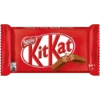
🍫 KitKat
A crispy wafer chocolate bar. For a break with a crunchy bite.
-
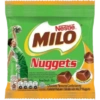
🏀 Milo Nuggets
Chocolate-flavoured bites from Milo. For sporty snacks and sweet cravings.
-
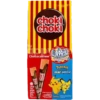
🍫 Choki Choki
Chocolate cream sticks with playful branding. For fun, playful chocolate snacking.
-
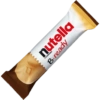
🍫 Nutella B-ready
A crisp wafer bar filled with Nutella. For a crunchy chocolate-hazelnut break.
-
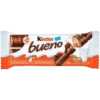
🍫 Kinder Bueno
A chocolate wafer bar with hazelnut cream. For a smooth, creamy chocolate break.
-
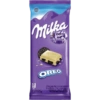
🍫 Milka Oreo
White chocolate with Oreo cookie pieces. For cookie-and-chocolate cravings.
-

🍫 Snickers Bar
A classic chocolate bar with caramel and peanuts. When you need a quick chocolate fix.
-
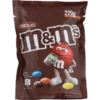
🍫 M&M's Chocolate
Chocolate candies in colorful shells. For colorful, playful chocolate snacking.
-

🍫 Kinder Choco-Bons
Small chocolate eggs with a creamy center. For tiny bites of chocolate joy.
-

🍫 Milka Choco Wafer
A wafer candy bar covered in Milka chocolate. For a crunchy chocolate-wafer treat.
-
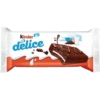
🍫 Kinder Delice
A chocolate-covered cake bar with milk cream. For soft, creamy chocolate dessert vibes.
-

🍫 Chic Choc Biscuit
Milk chocolate balls with a biscuit center. For bite-size biscuit-chocolate cravings.
-

🍫 Chacha Chocolate
A chocolate candy bar with colorful candy pieces. For playful, candy-covered chocolate fun.
Download and Install on WhatsApp
The Sticker Maker app is necessary to install this sticker pack on your WhatsApp. If you don't have it, download it from: Google Play Store and App Store. Once you have it on your phone, follow these instructions:
- Download the sticker file we provide below (it has the .wastickers extension). Locate the downloaded file on your mobile and tap it. Your device will ask you which application you want to open it with; select Sticker Maker. The app will automatically recognize the file as a new sticker pack.
- Once you see the pack inside Sticker Maker, just press the button that says "Add to My Library", then "Add to WhatsApp" and that's it! Your new stickers will be available for use in all your WhatsApp conversations.
Installation on WhatsApp with Sticker.ly
An easy way to add this pack is through the Sticker.ly app. If you don't have it yet, download it from: Google Play Store and App Store. Then choose one of these two simple methods:
- With Direct Link: Simply tap this link to the pack JNOL3R. If you have Sticker.ly installed, you will immediately see the stickers in the app.
- Using the Pack Code: If you prefer, you can copy the "pack code" by tapping here: and paste it into the search bar inside the Sticker.ly app.
Once inside Sticker.ly, confirm the action by tapping "Add to WhatsApp" and the stickers will be instantly sent to your WhatsApp app.
Use on Telegram
For Telegram users, installing a sticker pack is a native and extremely simple process. Just follow this link that will take you to Telegram: stickerly_JNOL3R_by_stickerly_official_bot. When the app opens, you will instantly see the pack and can add it to your library, without the need for third-party apps.























