

Chocolate Treats
📦 A sweet lineup of popular chocolate bars and candies. For sharing cravings, treats, and candy talk. 'Chocolate Treats' pack mein 14 stickers hain jo install karne mein aasan hain. WhatsApp par install karne ke liye free download.
-

🍫 Dairy Milk
A classic milk chocolate bar by Cadbury. For simple, comforting chocolate moments.
-
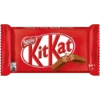
🍫 KitKat
A crispy wafer chocolate bar. For a break with a crunchy bite.
-
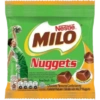
🏀 Milo Nuggets
Chocolate-flavoured bites from Milo. For sporty snacks and sweet cravings.
-
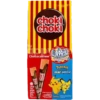
🍫 Choki Choki
Chocolate cream sticks with playful branding. For fun, playful chocolate snacking.
-
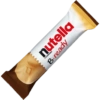
🍫 Nutella B-ready
A crisp wafer bar filled with Nutella. For a crunchy chocolate-hazelnut break.
-
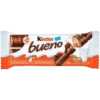
🍫 Kinder Bueno
A chocolate wafer bar with hazelnut cream. For a smooth, creamy chocolate break.
-
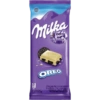
🍫 Milka Oreo
White chocolate with Oreo cookie pieces. For cookie-and-chocolate cravings.
-

🍫 Snickers Bar
A classic chocolate bar with caramel and peanuts. When you need a quick chocolate fix.
-
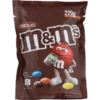
🍫 M&M's Chocolate
Chocolate candies in colorful shells. For colorful, playful chocolate snacking.
-

🍫 Kinder Choco-Bons
Small chocolate eggs with a creamy center. For tiny bites of chocolate joy.
-

🍫 Milka Choco Wafer
A wafer candy bar covered in Milka chocolate. For a crunchy chocolate-wafer treat.
-
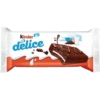
🍫 Kinder Delice
A chocolate-covered cake bar with milk cream. For soft, creamy chocolate dessert vibes.
-

🍫 Chic Choc Biscuit
Milk chocolate balls with a biscuit center. For bite-size biscuit-chocolate cravings.
-

🍫 Chacha Chocolate
A chocolate candy bar with colorful candy pieces. For playful, candy-covered chocolate fun.
WhatsApp par download aur install karein
Is sticker pack ko apne WhatsApp par install karne ke liye Sticker Maker app zaroori hai. Agar aapke paas nahi hai, to yahan se download karein: Google Play Store aur App Store. Phone mein app aa jaane ke baad ye steps follow karein:
- Neeche di gayi sticker file download karein (iska extension .wastickers hai). Download hui file ko apne mobile mein dhoondhein aur us par tap karein. Aapka phone poochega ki ise kis app se kholna hai; Sticker Maker chunein. App is file ko automatically naye sticker pack ke roop mein pehchaan lega.
- Jab pack Sticker Maker mein dikh jaye, to "Meri library mein add karein" wala button dabayein, phir "WhatsApp mein add karein", bas ho gaya! Aapke naye stickers aapki saari WhatsApp chats mein use ke liye ready honge.
Sticker.ly se WhatsApp par install karein
Is pack ko add karne ka ek aasan tareeka hai Sticker.ly app. Agar aapke paas abhi tak nahi hai, to yahan se download karein: Google Play Store aur App Store. Phir in do aasan tareekon mein se ek chunein:
- Direct link se: Bas pack ke is link par tap karein: JNOL3R. Agar aapke paas Sticker.ly install hai, to stickers turant app mein dikh jayenge.
- Pack code se: Chahein to yahan tap karke "pack code" copy karein: aur use Sticker.ly app ke search bar mein paste kar dein.
Sticker.ly mein pahunchne ke baad "WhatsApp mein add karein" par tap karke confirm karein, aur stickers turant aapke WhatsApp app mein bhej diye jayenge.
Telegram par use karein
Telegram users ke liye sticker pack install karna bilkul aasan hai, ye feature app mein hi hai. Bas is link par jaayein, jo aapko Telegram par le jayega: stickerly_JNOL3R_by_stickerly_official_bot. App khulte hi aapko pack dikh jayega aur aap use apni library mein add kar sakte hain, kisi doosre app ki zaroorat nahi.























