Chiikawa Treats
📦 Adorable Chiikawa pals as cakes, fruits and drinks. Share sweet kawaii foodie vibes! Use for cravings, food chats, or sending extra cute energy. The 'Chiikawa Treats' pack includes 18 stickers for any conversation. Free download to install on WhatsApp.
-

🍰 Strawberry Cake
Chiikawa as a creamy strawberry shortcake slice. For sweet moments or dessert cravings.
-
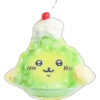
🍧 Melon Shaved Ice
Chiikawa as green melon kakigori with cream. When you need something cool and refreshing.
-

🥭 Smiling Mango
Usagi as a bright happy mango with a leaf. Send tropical vibes or a sunny mood.
-
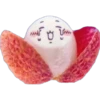
😮 Surprised Lychee
Chiikawa as a peeled lychee with a shocked face. When something unexpected or juicy happens.
-

🥤 Blue Cream Soda
Cute face on a blue soda with cream and cherry. For a fizzy treat or a cool sip.
-
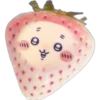
🍓 Kawaii Strawberry
Chiikawa blushing as a ripe pink strawberry. When you're feeling cute or a bit shy.
-
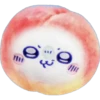
🍑 Peach Smile
Usagi as a soft blushing peach. Share a soft, sweet, happy feeling.
-
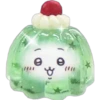
✨ Sparkly Jelly
Chiikawa inside a shiny green jelly cup. When something feels extra special and cute.
-

🍋 Citrus Cutie
Chiikawa as a round yellow citrus fruit. Send a zesty, cheerful hello.
-

🍹 Green Cocktail
Happy Chiikawa in a sparkling green drink. Cheers to a fun or refreshing moment.
-
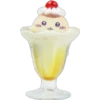
🍨 Cute Sundae
Chiikawa as a banana sundae with cherry. Treat yourself or someone special.
-

🍧 Blue Kakigori
Chiikawa as blue shaved ice with cream. Cool down with a cute icy treat.
-
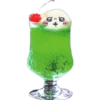
🥤 Melon Soda
Chiikawa peeking from a tall green soda. When you're popping in with a fizzy hello.
-

🍮 Shiny Pudding
Chiikawa as pudding with cream and sparkle. A little sparkle for a sweet mood.
-

🥝 Cute Kiwi
Chiikawa as a fuzzy round kiwi fruit. A fresh, cute hello with kiwi energy.
-

🥤 Blue Layer Soda
Smiling Chiikawa in a blue layered drink. For a layered mood or a pretty sip.
-

🍮 Caramel Flan
Chiikawa as flan with caramel and cream. Classic sweet comfort in sticker form.
-
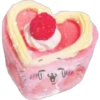
💖 Heart Cake
Chiikawa as a pink heart cake with berry. Send love, thanks, or extra sweetness.
Download and Install on WhatsApp
The Sticker Maker app is necessary to install this sticker pack on your WhatsApp. If you don't have it, download it from: Google Play Store and App Store. Once you have it on your phone, follow these instructions:
- Download the sticker file we provide below (it has the .wastickers extension). Locate the downloaded file on your mobile and tap it. Your device will ask you which application you want to open it with; select Sticker Maker. The app will automatically recognize the file as a new sticker pack.
- Once you see the pack inside Sticker Maker, just press the button that says "Add to My Library", then "Add to WhatsApp" and that's it! Your new stickers will be available for use in all your WhatsApp conversations.