

ROBLOX: IT'S FREE
📦 O pacote 'ROBLOX: IT'S FREE' inclui 29 stickers prontos a partilhar. Transferência gratuita para instalar no WhatsApp e Telegram.
-

Can you play despacito, hi Alexa
-

go commit 13 reasons why
-
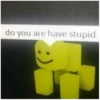
do you are have stupid
-

I LOVE YOU
-

-
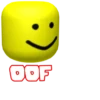
OOF
-

Speak englesh loser Magnificent 111233
-

time to get jrugs on the dark web TheRealMaxPlaysGames) - Phil Swift is
-
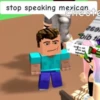
stop speaking mexican Cheste 269 bib t
-
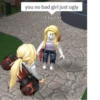
you no bad girl just ugly ElayCkr
-
freakygammers Stop being having autism. SimplyAlmeida bob
-

95 How do I point this at myself
-

the chair likes pizza mmmmm
-

shut up or i will boom you
-
say that again and i will shove this ruler where the sun don't shine
-
can u dont Awesomebruh
-

Communism Will Rise Again
-
WAHT THE HACK ANdress12302
-
WATCH UR MOTH meline3325u8uthd
-

leave my presence filth. EX
-
just sittin' here..being NOT gay
-
Be quiet you annoying waste of life moldyfrick
-

i dont understand what is so hard about cancer, i am already on stage four (6ix9inethis2)
-
SOF
-

DONT U FUGIN SAY ANYTHING TO MOM
-

no anime
-
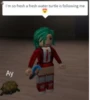
I'm so fresh a fresh water turtle is following me Ay ND
-
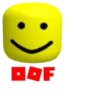
QOF
-

im committing sewer side
Transferir e instalar no WhatsApp
A aplicação Sticker Maker é necessária para instalar este pacote de stickers no teu WhatsApp. Se ainda não a tens, transfere-a a partir de: Google Play Store e App Store. Quando a tiveres no telemóvel, segue estas instruções:
- Transfere o ficheiro de stickers que disponibilizamos abaixo (tem a extensão .wastickers). Localiza o ficheiro transferido no teu telemóvel e toca nele. O dispositivo vai perguntar-te com que aplicação o queres abrir; seleciona Sticker Maker. A aplicação reconhece automaticamente o ficheiro como um novo pacote de stickers.
- Quando vires o pacote dentro do Sticker Maker, basta carregares no botão "Adicionar à minha biblioteca", depois em "Adicionar ao WhatsApp" e já está! Os teus novos stickers ficam disponíveis em todas as tuas conversas do WhatsApp.
Usar no Telegram
Para quem usa o Telegram, instalar um pacote de stickers é um processo nativo e muito simples. Basta seguires esta ligação, que te leva ao Telegram: Robux. Quando a aplicação abrir, vês logo o pacote e podes adicioná-lo à tua biblioteca, sem precisares de aplicações de terceiros.























