

ROBLOX: IT'S FREE
📦 The 'ROBLOX: IT'S FREE' pack includes 29 stickers ready to share. Free download to install on WhatsApp and Telegram.
-

Can you play despacito, hi Alexa
-

go commit 13 reasons why
-

do you are have stupid
-

I LOVE YOU
-

-
OOF
-

Speak englesh loser Magnificent 111233
-

time to get jrugs on the dark web TheRealMaxPlaysGames) - Phil Swift is
-

stop speaking mexican Cheste 269 bib t
-

you no bad girl just ugly ElayCkr
-

freakygammers Stop being having autism. SimplyAlmeida bob
-

95 How do I point this at myself
-

the chair likes pizza mmmmm
-

shut up or i will boom you
-

say that again and i will shove this ruler where the sun don't shine
-

can u dont Awesomebruh
-

Communism Will Rise Again
-

WAHT THE HACK ANdress12302
-

WATCH UR MOTH meline3325u8uthd
-

leave my presence filth. EX
-
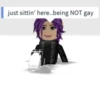
just sittin' here..being NOT gay
-

Be quiet you annoying waste of life moldyfrick
-

i dont understand what is so hard about cancer, i am already on stage four (6ix9inethis2)
-

SOF
-

DONT U FUGIN SAY ANYTHING TO MOM
-

no anime
-

I'm so fresh a fresh water turtle is following me Ay ND
-
QOF
-

im committing sewer side
Download and Install on WhatsApp
The Sticker Maker app is necessary to install this sticker pack on your WhatsApp. If you don't have it, download it from: Google Play Store and App Store. Once you have it on your phone, follow these instructions:
- Download the sticker file we provide below (it has the .wastickers extension). Locate the downloaded file on your mobile and tap it. Your device will ask you which application you want to open it with; select Sticker Maker. The app will automatically recognize the file as a new sticker pack.
- Once you see the pack inside Sticker Maker, just press the button that says "Add to My Library", then "Add to WhatsApp" and that's it! Your new stickers will be available for use in all your WhatsApp conversations.
Use on Telegram
For Telegram users, installing a sticker pack is a native and extremely simple process. Just follow this link that will take you to Telegram: Robux. When the app opens, you will instantly see the pack and can add it to your library, without the need for third-party apps.























