

🗣like always with me on Top
📦 O pack '🗣like always with me on Top' tem 30 figurinhas para qualquer conversa. Baixe grátis e instale no WhatsApp.
-

Y. Pssch. Rede Nicht!
-

BIG DIFFERENCE Y.
-

Y. I am just saying that I am the GOAT
-

Y. *like seriously rn face*
-
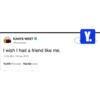
KANYE WEST @kanyewest I wish I had a friend like me. 11:34 AM - 20 Apr 2013 70,078 Retweets 152,032 Likes Y.
-
FLE Y.
-

Y.
-

Y. Just listen to me
-

Y. Sieh es ein jeder sagt, dass du falsch liegst
-

you wanna talk? Y.
-
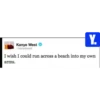
Y. Kanye West Ckanyewest I wish I could run across a beach into my own arms.
-

Y. Why tho?
-
1991 Y.
-

Y. Kanye>Taylor
-

"Spielverderber" Y.
-

Y. I WON (tbh no big suprise, I always win)
-

Y.
-

Y. How much more do I gotta win?
-

KANYE WEST @kanyewest sometimes we all need hugs 1:25 PM-21 May 2018 Y.
-
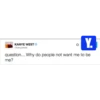
KANYE WEST ©kanyewest Y. question... Why do people not want me to be me?
-
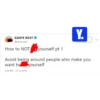
Y. KANYE WEST @kanyewest How to NOT yourself pt 1 Avoid being around people who make you want to yourself 2:12 PM - 27 Jul 2018
-
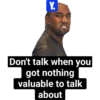
Y. Don't talk when you got nothing valuable to talk about
-

Y. wwww555555 What the fuck do you know about that
-
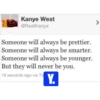
Kanye West @RealKanye Someone will always be prettier. Someone will always be smarter. Someone will always be younger. But they will never be you. 19 seconds ago via Tv Y. >
-

Y.
-
Y. Who are you?
-

Y. Now what you gonna do against that?
-

how it feels talking to you Y. I
-

Y. *disgusting face*
-

Y. Do you need any more evidence??
Baixar e Instalar no WhatsApp
O aplicativo Sticker Maker é necessário para instalar este pacote de stickers no seu WhatsApp. Se você ainda não tem, baixe em: Google Play Store e App Store. Com o app instalado no celular, siga estas instruções:
- Baixe o arquivo de stickers que fornecemos abaixo (tem a extensão .wastickers). Localize o arquivo baixado no seu celular e toque nele. Seu dispositivo perguntará com qual aplicativo você deseja abri-lo; selecione Sticker Maker. O aplicativo reconhecerá automaticamente o arquivo como um novo pacote de stickers.
- Quando o pacote aparecer no Sticker Maker, é só tocar no botão "Adicionar à minha biblioteca" e depois em "Adicionar ao WhatsApp", e pronto! Seus novos stickers ficam disponíveis em todas as suas conversas do WhatsApp.























