

🗣like always with me on Top
📦 The '🗣like always with me on Top' pack includes 30 stickers for any conversation. Free download to install on WhatsApp.
-

Y. Pssch. Rede Nicht!
-

BIG DIFFERENCE Y.
-

Y. I am just saying that I am the GOAT
-

Y. *like seriously rn face*
-

KANYE WEST @kanyewest I wish I had a friend like me. 11:34 AM - 20 Apr 2013 70,078 Retweets 152,032 Likes Y.
-
FLE Y.
-

Y.
-

Y. Just listen to me
-

Y. Sieh es ein jeder sagt, dass du falsch liegst
-

you wanna talk? Y.
-

Y. Kanye West Ckanyewest I wish I could run across a beach into my own arms.
-

Y. Why tho?
-

1991 Y.
-

Y. Kanye>Taylor
-

"Spielverderber" Y.
-

Y. I WON (tbh no big suprise, I always win)
-

Y.
-

Y. How much more do I gotta win?
-

KANYE WEST @kanyewest sometimes we all need hugs 1:25 PM-21 May 2018 Y.
-
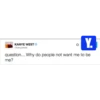
KANYE WEST ©kanyewest Y. question... Why do people not want me to be me?
-
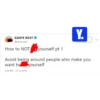
Y. KANYE WEST @kanyewest How to NOT yourself pt 1 Avoid being around people who make you want to yourself 2:12 PM - 27 Jul 2018
-
Y. Don't talk when you got nothing valuable to talk about
-

Y. wwww555555 What the fuck do you know about that
-

Kanye West @RealKanye Someone will always be prettier. Someone will always be smarter. Someone will always be younger. But they will never be you. 19 seconds ago via Tv Y. >
-

Y.
-
Y. Who are you?
-

Y. Now what you gonna do against that?
-

how it feels talking to you Y. I
-

Y. *disgusting face*
-

Y. Do you need any more evidence??
Download and Install on WhatsApp
The Sticker Maker app is necessary to install this sticker pack on your WhatsApp. If you don't have it, download it from: Google Play Store and App Store. Once you have it on your phone, follow these instructions:
- Download the sticker file we provide below (it has the .wastickers extension). Locate the downloaded file on your mobile and tap it. Your device will ask you which application you want to open it with; select Sticker Maker. The app will automatically recognize the file as a new sticker pack.
- Once you see the pack inside Sticker Maker, just press the button that says "Add to My Library", then "Add to WhatsApp" and that's it! Your new stickers will be available for use in all your WhatsApp conversations.























