

Kontol
📦 O pack 'Kontol' tem 30 figurinhas bem variadas. Baixe grátis e instale no WhatsApp. Estes stickers contêm frases em Indonésio.
-

KAMU ITU TAI TAINGIN KU MELEPASKAN MU
-

maaf chatnya di read doang lagi ngambek ma kamu
-
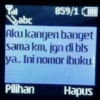
859/1 abc Aku kangen banget sama km, jgn di bls ya.. Ini nomor ibuku. Pilihan Hapus
-

kamu mau ngak jadi pacarku? ydh kalo gamau,aku aja yang jadi pacarmu
-

Cie yang lagi ngode tapi dia tetep gapeka
-

Knp ayam kakinya 2 ?? Karena, aku mencintaimu><
-
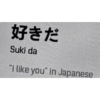
好きだ Suki da "i like you" in Japanese
-

ApaSi pasa pussy puki memek pepek kontol
-
lagi free gak? 20:27 aku pengen ciuman Message...
-
kamu lucu 13.21 akti sluka./43.21 lopyu 13.21
-
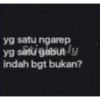
yg satu ngarep yg satu gabutly indah bgt bukan?
-

Kok ngegas? Hamil ya?
-

Are you some kind of kambing becauseker.ly you make my heart terombang-ambing
-
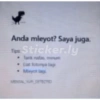
Anda mleyot? Saya juga. Tipe Sticker.ly Lat fotonya lagi
-

Aku tau ini berat, tapi aku juge tuu keatau kamu itu hebat.
-

MAKAN MIE KREMES PAKE CUKA
-

KAMU GEMES, AKU SUKA
-
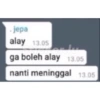
.jepa alay 13.05 Ferdy ga boleh alay 13.05 nanti meninggal 13.05
-

NBL NBL Sticker NDL NOW nyesek bgt loh
-

SELAMAT Sticker.ly SELAMAT KAU BERHASIL MENYAKITI PERASAANKU
-

Tweet JAEMIN @jaeminramadhan aku suka harry potter tapi aku lebih suka harry-harry bersamamu 04:25 PM 10 Jun 19-Twitter for Android 913,2M Retweets 912,5MLikes 12 V
-

Semua Buena Viso Gambar Inggris- i miss you Sticker.ly kayak pernah ketemu aja
-
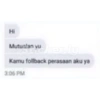
Hi Mutuatan yusker lu Kamu follback perasaan aku ya 3:06 PM
-

GANTENG BGT AJG kayang nih gue Sticker
-

maaf saya read Stdoangly saya dingin
-
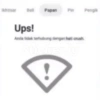
Bell Papan Pin Pengik Ups! Anda tidak terhubung dengan hati crush Sticker.ly
-
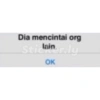
Dia mencintai org Sticainer.ly OK
-

ikan hiu lagi berantem hmmmmmmmm
-
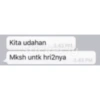
Kita udahan SE Mksh untk hri2nya
-
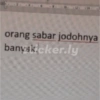
orang sabar jodohnya banyskicker.ly
Baixar e Instalar no WhatsApp
O aplicativo Sticker Maker é necessário para instalar este pacote de stickers no seu WhatsApp. Se você ainda não tem, baixe em: Google Play Store e App Store. Com o app instalado no celular, siga estas instruções:
- Baixe o arquivo de stickers que fornecemos abaixo (tem a extensão .wastickers). Localize o arquivo baixado no seu celular e toque nele. Seu dispositivo perguntará com qual aplicativo você deseja abri-lo; selecione Sticker Maker. O aplicativo reconhecerá automaticamente o arquivo como um novo pacote de stickers.
- Quando o pacote aparecer no Sticker Maker, é só tocar no botão "Adicionar à minha biblioteca" e depois em "Adicionar ao WhatsApp", e pronto! Seus novos stickers ficam disponíveis em todas as suas conversas do WhatsApp.
Instalação no WhatsApp com Sticker.ly
Uma forma fácil de adicionar este pacote é pelo aplicativo Sticker.ly. Se você ainda não tem, baixe em: Google Play Store e App Store. Depois, escolha um destes dois métodos simples:
- Com Link Direto: Basta tocar neste link para o pacote 0P4QHR. Se você tiver o Sticker.ly instalado, verá imediatamente os stickers no aplicativo.
- Usando o Código do Pacote: Se preferir, você pode copiar o "código do pacote" tocando aqui: e colá-lo na barra de pesquisa dentro do aplicativo Sticker.ly.
No Sticker.ly, confirme tocando em "Adicionar ao WhatsApp" e os stickers vão na hora para o seu WhatsApp.
Usar no Telegram
Para quem usa o Telegram, instalar um pacote de stickers é nativo e muito simples. É só abrir este link, que leva você direto ao Telegram: stickerly_0P4QHR_by_stickerly_official_bot. Quando o aplicativo abrir, você já vê o pacote e pode adicioná-lo à sua biblioteca, sem precisar de aplicativos de terceiros.























