

Kontol
📦 The 'Kontol' pack includes 30 stickers with great variety. Free download to install on WhatsApp. These stickers contain phrases in Indonesian.
-

KAMU ITU TAI TAINGIN KU MELEPASKAN MU
-

maaf chatnya di read doang lagi ngambek ma kamu
-
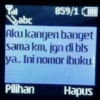
859/1 abc Aku kangen banget sama km, jgn di bls ya.. Ini nomor ibuku. Pilihan Hapus
-

kamu mau ngak jadi pacarku? ydh kalo gamau,aku aja yang jadi pacarmu
-

Cie yang lagi ngode tapi dia tetep gapeka
-

Knp ayam kakinya 2 ?? Karena, aku mencintaimu><
-
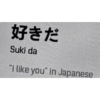
好きだ Suki da "i like you" in Japanese
-

ApaSi pasa pussy puki memek pepek kontol
-
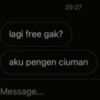
lagi free gak? 20:27 aku pengen ciuman Message...
-
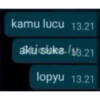
kamu lucu 13.21 akti sluka./43.21 lopyu 13.21
-
yg satu ngarep yg satu gabutly indah bgt bukan?
-

Kok ngegas? Hamil ya?
-

Are you some kind of kambing becauseker.ly you make my heart terombang-ambing
-

Anda mleyot? Saya juga. Tipe Sticker.ly Lat fotonya lagi
-

Aku tau ini berat, tapi aku juge tuu keatau kamu itu hebat.
-

MAKAN MIE KREMES PAKE CUKA
-

KAMU GEMES, AKU SUKA
-
.jepa alay 13.05 Ferdy ga boleh alay 13.05 nanti meninggal 13.05
-

NBL NBL Sticker NDL NOW nyesek bgt loh
-

SELAMAT Sticker.ly SELAMAT KAU BERHASIL MENYAKITI PERASAANKU
-

Tweet JAEMIN @jaeminramadhan aku suka harry potter tapi aku lebih suka harry-harry bersamamu 04:25 PM 10 Jun 19-Twitter for Android 913,2M Retweets 912,5MLikes 12 V
-

Semua Buena Viso Gambar Inggris- i miss you Sticker.ly kayak pernah ketemu aja
-

Hi Mutuatan yusker lu Kamu follback perasaan aku ya 3:06 PM
-

GANTENG BGT AJG kayang nih gue Sticker
-

maaf saya read Stdoangly saya dingin
-
Bell Papan Pin Pengik Ups! Anda tidak terhubung dengan hati crush Sticker.ly
-
Dia mencintai org Sticainer.ly OK
-

ikan hiu lagi berantem hmmmmmmmm
-

Kita udahan SE Mksh untk hri2nya
-
orang sabar jodohnya banyskicker.ly
Download and Install on WhatsApp
The Sticker Maker app is necessary to install this sticker pack on your WhatsApp. If you don't have it, download it from: Google Play Store and App Store. Once you have it on your phone, follow these instructions:
- Download the sticker file we provide below (it has the .wastickers extension). Locate the downloaded file on your mobile and tap it. Your device will ask you which application you want to open it with; select Sticker Maker. The app will automatically recognize the file as a new sticker pack.
- Once you see the pack inside Sticker Maker, just press the button that says "Add to My Library", then "Add to WhatsApp" and that's it! Your new stickers will be available for use in all your WhatsApp conversations.
Installation on WhatsApp with Sticker.ly
An easy way to add this pack is through the Sticker.ly app. If you don't have it yet, download it from: Google Play Store and App Store. Then choose one of these two simple methods:
- With Direct Link: Simply tap this link to the pack 0P4QHR. If you have Sticker.ly installed, you will immediately see the stickers in the app.
- Using the Pack Code: If you prefer, you can copy the "pack code" by tapping here: and paste it into the search bar inside the Sticker.ly app.
Once inside Sticker.ly, confirm the action by tapping "Add to WhatsApp" and the stickers will be instantly sent to your WhatsApp app.
Use on Telegram
For Telegram users, installing a sticker pack is a native and extremely simple process. Just follow this link that will take you to Telegram: stickerly_0P4QHR_by_stickerly_official_bot. When the app opens, you will instantly see the pack and can add it to your library, without the need for third-party apps.























