

🕸️ Spiderman Reactions 🤔
📦 A pack featuring Spider-Man in various humorous and unusual situations. Used to add humor to chats with Spider-Man themed stickers. '🕸️ Spiderman Reactions 🤔' pack mein 10 stickers hain zabardast variety ke saath. WhatsApp par install karne ke liye free download.
-

🚿 Spidey in Shower
Spider-Man sitting curled up in a shower. Used for feelings of stress or overwhelm.
-

🌇 Spidey Balcony Chill
Spider-Man sitting on a balcony chair, foot up, relaxing. Used for chill moments or when relaxing outdoors.
-

🧒 Kid Spidey
A child wearing a Spider-Man costume in a living room. Used for playful or humorous family moments.
-

🕸️ Spidey Relaxing
Spider-Man sitting in a folding chair, relaxing with a smoking device. Used for moments of relaxation or taking a break.
-

😆 Spidey with a Belly
Spider-Man with a large belly in a public setting. Used for humorous situations or self-deprecating jokes.
-
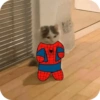
🐱 Cute Spider-cat
A small cat dressed in a Spider-Man costume. Used for cute or humorous situations involving cats or superheroes.
-

🕌 Spidey Rooftop Hookah
Spider-Man sitting on a rooftop with a hookah. Used for chill and relaxed moments, often with friends.
-

✌️ Spidey Peace Sign
Spider-Man making a peace sign in front of a fountain. Used to express positivity or peaceful vibes.
-

🎥 Spidey 3D Movie
Two people dressed as Spider-Man characters wearing 3D glasses. Used for situations relating to movies or cinema outings.
-

🍾 Spidey and Bottle
Spider-Man sitting on the floor holding a bottle in a dimly lit room. Used for moments of solitude or introspection.
WhatsApp par download aur install karein
Is sticker pack ko apne WhatsApp par install karne ke liye Sticker Maker app zaroori hai. Agar aapke paas nahi hai, to yahan se download karein: Google Play Store aur App Store. Phone mein app aa jaane ke baad ye steps follow karein:
- Neeche di gayi sticker file download karein (iska extension .wastickers hai). Download hui file ko apne mobile mein dhoondhein aur us par tap karein. Aapka phone poochega ki ise kis app se kholna hai; Sticker Maker chunein. App is file ko automatically naye sticker pack ke roop mein pehchaan lega.
- Jab pack Sticker Maker mein dikh jaye, to "Meri library mein add karein" wala button dabayein, phir "WhatsApp mein add karein", bas ho gaya! Aapke naye stickers aapki saari WhatsApp chats mein use ke liye ready honge.
Sticker.ly se WhatsApp par install karein
Is pack ko add karne ka ek aasan tareeka hai Sticker.ly app. Agar aapke paas abhi tak nahi hai, to yahan se download karein: Google Play Store aur App Store. Phir in do aasan tareekon mein se ek chunein:
- Direct link se: Bas pack ke is link par tap karein: 77IRVL. Agar aapke paas Sticker.ly install hai, to stickers turant app mein dikh jayenge.
- Pack code se: Chahein to yahan tap karke "pack code" copy karein: aur use Sticker.ly app ke search bar mein paste kar dein.
Sticker.ly mein pahunchne ke baad "WhatsApp mein add karein" par tap karke confirm karein, aur stickers turant aapke WhatsApp app mein bhej diye jayenge.
Telegram par use karein
Telegram users ke liye sticker pack install karna bilkul aasan hai, ye feature app mein hi hai. Bas is link par jaayein, jo aapko Telegram par le jayega: stickerly_77IRVL_by_stickerly_official_bot. App khulte hi aapko pack dikh jayega aur aap use apni library mein add kar sakte hain, kisi doosre app ki zaroorat nahi.























