🕸️ Spiderman Reactions 🤔
📦 A pack featuring Spider-Man in various humorous and unusual situations. Used to add humor to chats with Spider-Man themed stickers. The '🕸️ Spiderman Reactions 🤔' pack includes 10 stickers with great variety. Free download to install on WhatsApp.
-

🚿 Spidey in Shower
Spider-Man sitting curled up in a shower. Used for feelings of stress or overwhelm.
-

🌇 Spidey Balcony Chill
Spider-Man sitting on a balcony chair, foot up, relaxing. Used for chill moments or when relaxing outdoors.
-

🧒 Kid Spidey
A child wearing a Spider-Man costume in a living room. Used for playful or humorous family moments.
-

🕸️ Spidey Relaxing
Spider-Man sitting in a folding chair, relaxing with a smoking device. Used for moments of relaxation or taking a break.
-

😆 Spidey with a Belly
Spider-Man with a large belly in a public setting. Used for humorous situations or self-deprecating jokes.
-
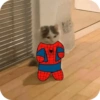
🐱 Cute Spider-cat
A small cat dressed in a Spider-Man costume. Used for cute or humorous situations involving cats or superheroes.
-

🕌 Spidey Rooftop Hookah
Spider-Man sitting on a rooftop with a hookah. Used for chill and relaxed moments, often with friends.
-

✌️ Spidey Peace Sign
Spider-Man making a peace sign in front of a fountain. Used to express positivity or peaceful vibes.
-

🎥 Spidey 3D Movie
Two people dressed as Spider-Man characters wearing 3D glasses. Used for situations relating to movies or cinema outings.
-

🍾 Spidey and Bottle
Spider-Man sitting on the floor holding a bottle in a dimly lit room. Used for moments of solitude or introspection.
Download and Install on WhatsApp
The Sticker Maker app is necessary to install this sticker pack on your WhatsApp. If you don't have it, download it from: Google Play Store and App Store. Once you have it on your phone, follow these instructions:
- Download the sticker file we provide below (it has the .wastickers extension). Locate the downloaded file on your mobile and tap it. Your device will ask you which application you want to open it with; select Sticker Maker. The app will automatically recognize the file as a new sticker pack.
- Once you see the pack inside Sticker Maker, just press the button that says "Add to My Library", then "Add to WhatsApp" and that's it! Your new stickers will be available for use in all your WhatsApp conversations.
Installation on WhatsApp with Sticker.ly
An easy way to add this pack is through the Sticker.ly app. If you don't have it yet, download it from: Google Play Store and App Store. Then choose one of these two simple methods:
- With Direct Link: Simply tap this link to the pack 77IRVL. If you have Sticker.ly installed, you will immediately see the stickers in the app.
- Using the Pack Code: If you prefer, you can copy the "pack code" by tapping here: and paste it into the search bar inside the Sticker.ly app.
Once inside Sticker.ly, confirm the action by tapping "Add to WhatsApp" and the stickers will be instantly sent to your WhatsApp app.
Use on Telegram
For Telegram users, installing a sticker pack is a native and extremely simple process. Just follow this link that will take you to Telegram: stickerly_77IRVL_by_stickerly_official_bot. When the app opens, you will instantly see the pack and can add it to your library, without the need for third-party apps.