

Cafeteria Trays
📦 Metal cafeteria trays filled with emoji meals—veggies, mains, desserts and fruit. Classic school lunches plus a few wild surprise combos. Use when sharing lunch plans, joking about cafeteria food, or sending a funny meal combo. 'Cafeteria Trays' pack mein 7 stickers hain ekdum fresh update ke saath. WhatsApp par install karne ke liye free download.
-

🍗 Chicken Lunch Tray
Greens, drumsticks, cupcake, rice, watermelon and banana. Perfect for a hearty, balanced lunch vibe.
-

🍕 Pizza Lunch Tray
Broccoli, pepperoni pizza, cake, rice and grapes. When lunch is pizza night in the cafeteria.
-

🥕 Soup & Fruit Tray
Carrots, hot soup, bread, onigiri, apple and strawberry. Cozy comfort-food lunch with soup and fruit.
-

🍜 Ramen Lunch Tray
Peas, ramen bowl, flan, onigiri and cherries. Slurp ramen and finish with cherries and flan.
-

🥩 Steak Dumpling Tray
Greens, egg, steak, dumplings, rice and blueberries. Protein-packed tray with steak, egg and dumplings.
-

👄 Anatomy Lunch Tray
Lips, eyes, a hand, a brain and a leg on a tray. Dark-humor tray when lunch looks a bit too human.
-
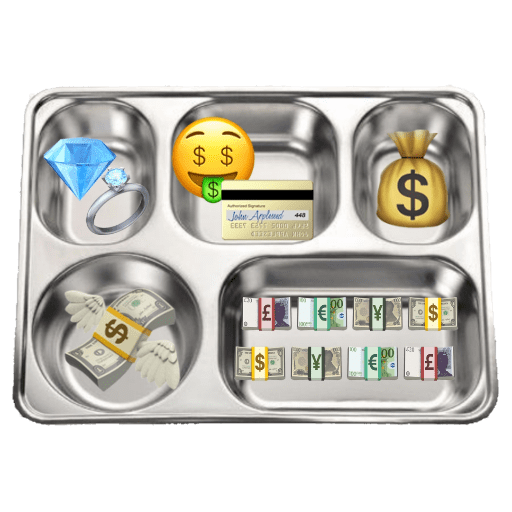
💰 Money Lunch Tray
Diamond ring, money face, credit card, cash bag and bills. Flex wealth, payday, or joke that lunch is just money.
WhatsApp par download aur install karein
Is sticker pack ko apne WhatsApp par install karne ke liye Sticker Maker app zaroori hai. Agar aapke paas nahi hai, to yahan se download karein: Google Play Store aur App Store. Phone mein app aa jaane ke baad ye steps follow karein:
- Neeche di gayi sticker file download karein (iska extension .wastickers hai). Download hui file ko apne mobile mein dhoondhein aur us par tap karein. Aapka phone poochega ki ise kis app se kholna hai; Sticker Maker chunein. App is file ko automatically naye sticker pack ke roop mein pehchaan lega.
- Jab pack Sticker Maker mein dikh jaye, to "Meri library mein add karein" wala button dabayein, phir "WhatsApp mein add karein", bas ho gaya! Aapke naye stickers aapki saari WhatsApp chats mein use ke liye ready honge.
Sticker.ly se WhatsApp par install karein
Is pack ko add karne ka ek aasan tareeka hai Sticker.ly app. Agar aapke paas abhi tak nahi hai, to yahan se download karein: Google Play Store aur App Store. Phir in do aasan tareekon mein se ek chunein:
- Direct link se: Bas pack ke is link par tap karein: 31JAOH. Agar aapke paas Sticker.ly install hai, to stickers turant app mein dikh jayenge.
- Pack code se: Chahein to yahan tap karke "pack code" copy karein: aur use Sticker.ly app ke search bar mein paste kar dein.
Sticker.ly mein pahunchne ke baad "WhatsApp mein add karein" par tap karke confirm karein, aur stickers turant aapke WhatsApp app mein bhej diye jayenge.























