

Apple Devices
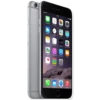
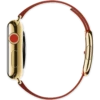
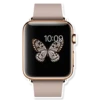
📦 'Apple Devices' pack mein 21 stickers hain high quality mein. WhatsApp par install karne ke liye free download.
-
$ ←
-

ve e rece
-
Messages Weather Notes Newsstand Health Phone Calendar Clock 9:41 AM Retmindks (♫ iTunes Store 1+ Passbook Mail Photos 300 Maps Stocks (A) App Store Settings Safari 100% Camera Videos Game Center Books Music
-
HINT Mesaje NURAC Gel W 110 lemoxia Fagode Kares Pats 100 NOLA ♫A AR Am Son Ave Sajik Probook Apv Mick
-
9
-
WHILLT Messagin New Phone C Cook UND Finders Apres Store Mal Photos Maps king A Settings Se Ca Views Ge Books
-

-
-

។ ','} ka,Polaborato c wwww. P MON 9 3- wwwww an' Co 6 Ⓒ15:00
-
LON 6:09 9 155|||| 10, 11 12 1 8 15:00 10 3 15 4, 765 130111125 12PM LUNCH WITH BEN woma
-

3² 9
-
10:09 ******
-
iPhone HIY 9 (F Pambook 41 AM No Store MA
-
72° 10:09 CAL 312/600 MIN 14/30 HOUR 3/12 TUE attim
-
Messages Weather Notes Health Phone O Calendar Clock (F) Newsstand iTunes Store 9:41 am Reminders 1+30 Passbook Mail Photos Maps Stocks (A) App Store Q Settings Safari 100% Camera Videos Game Center Books Music
-
-
10:09 6301
-
m
-
-
-

WhatsApp par download aur install karein
Is sticker pack ko apne WhatsApp par install karne ke liye Sticker Maker app zaroori hai. Agar aapke paas nahi hai, to yahan se download karein: Google Play Store aur App Store. Phone mein app aa jaane ke baad ye steps follow karein:
- Neeche di gayi sticker file download karein (iska extension .wastickers hai). Download hui file ko apne mobile mein dhoondhein aur us par tap karein. Aapka phone poochega ki ise kis app se kholna hai; Sticker Maker chunein. App is file ko automatically naye sticker pack ke roop mein pehchaan lega.
- Jab pack Sticker Maker mein dikh jaye, to "Meri library mein add karein" wala button dabayein, phir "WhatsApp mein add karein", bas ho gaya! Aapke naye stickers aapki saari WhatsApp chats mein use ke liye ready honge.























