

Apple Devices
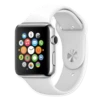
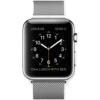
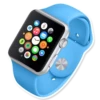
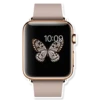
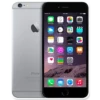
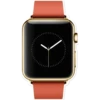
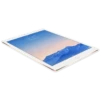
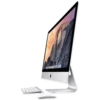
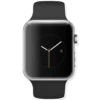
📦 The 'Apple Devices' pack includes 21 stickers high quality. Free download to install on WhatsApp.
-
$ ←
-

ve e rece
-
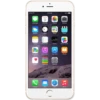
Messages Weather Notes Newsstand Health Phone Calendar Clock 9:41 AM Retmindks (♫ iTunes Store 1+ Passbook Mail Photos 300 Maps Stocks (A) App Store Settings Safari 100% Camera Videos Game Center Books Music
-
HINT Mesaje NURAC Gel W 110 lemoxia Fagode Kares Pats 100 NOLA ♫A AR Am Son Ave Sajik Probook Apv Mick
-
9
-
WHILLT Messagin New Phone C Cook UND Finders Apres Store Mal Photos Maps king A Settings Se Ca Views Ge Books
-
-
-
។ ','} ka,Polaborato c wwww. P MON 9 3- wwwww an' Co 6 Ⓒ15:00
-
LON 6:09 9 155|||| 10, 11 12 1 8 15:00 10 3 15 4, 765 130111125 12PM LUNCH WITH BEN woma
-
3² 9
-
10:09 ******
-
iPhone HIY 9 (F Pambook 41 AM No Store MA
-
72° 10:09 CAL 312/600 MIN 14/30 HOUR 3/12 TUE attim
-
Messages Weather Notes Health Phone O Calendar Clock (F) Newsstand iTunes Store 9:41 am Reminders 1+30 Passbook Mail Photos Maps Stocks (A) App Store Q Settings Safari 100% Camera Videos Game Center Books Music
-
-
10:09 6301
-
m
-
-
-
Download and Install on WhatsApp
The Sticker Maker app is necessary to install this sticker pack on your WhatsApp. If you don't have it, download it from: Google Play Store and App Store. Once you have it on your phone, follow these instructions:
- Download the sticker file we provide below (it has the .wastickers extension). Locate the downloaded file on your mobile and tap it. Your device will ask you which application you want to open it with; select Sticker Maker. The app will automatically recognize the file as a new sticker pack.
- Once you see the pack inside Sticker Maker, just press the button that says "Add to My Library", then "Add to WhatsApp" and that's it! Your new stickers will be available for use in all your WhatsApp conversations.























