

Ralph (The Simpsons)
📦 Classic Ralph Wiggum scenes from The Simpsons: he waits at his school desk with an empty Valentine mailbox, cycling through hope, confusion, and heartbreak. Send when you feel left out, got no replies, or a wait (Valentine's or otherwise) didn't go as hoped. 'Ralph (The Simpsons)' pack mein 10 stickers hain share karne ke liye ready. WhatsApp par install karne ke liye free download.
-
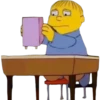
🤔 Checking the Box
Ralph holds up his pink mailbox and stares at it with a blank look. When you check again, just in case.
-

😮 Stunned Silence
Ralph sits stunned with his mouth open as the empty mailbox hangs on his desk. That moment when you realize nobody wrote back.
-
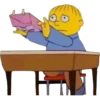
👀 Peeking Inside
Ralph opens the pink mailbox and looks inside, finding nothing. When you look one more time, still empty.
-
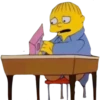
😟 Worried Look
Ralph stares at the mailbox on his desk with a worried, open-mouthed look. When something feels off and you can't figure it out.
-

👀 Holding It Up
Ralph holds up his labeled Valentine mailbox with wide, hopeful eyes. Presenting proof that you were ready... and still got nothing.
-

🤗 Comforting Hug
Ralph presses the empty mailbox to his cheek with eyes closed. When all you have left is the empty thing you waited for.
-

😞 Sad Waiting
Ralph sits with a deep frown, arms folded, empty mailbox hanging below. When the wait is over and nothing came.
-

😩 Exhausted Sigh
Ralph closes his eyes and opens his mouth in a tired, defeated sigh. When you're done waiting and just tired of it.
-
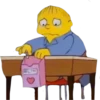
👇 One Last Check
Ralph looks down and pokes at his still-empty Valentine mailbox. Just one more look before you accept it's empty.
-
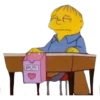
😞 Giving Up Hope
Ralph looks down with half-closed eyes, fully resigned to the empty box. When you've accepted that nothing is coming.
WhatsApp par download aur install karein
Is sticker pack ko apne WhatsApp par install karne ke liye Sticker Maker app zaroori hai. Agar aapke paas nahi hai, to yahan se download karein: Google Play Store aur App Store. Phone mein app aa jaane ke baad ye steps follow karein:
- Neeche di gayi sticker file download karein (iska extension .wastickers hai). Download hui file ko apne mobile mein dhoondhein aur us par tap karein. Aapka phone poochega ki ise kis app se kholna hai; Sticker Maker chunein. App is file ko automatically naye sticker pack ke roop mein pehchaan lega.
- Jab pack Sticker Maker mein dikh jaye, to "Meri library mein add karein" wala button dabayein, phir "WhatsApp mein add karein", bas ho gaya! Aapke naye stickers aapki saari WhatsApp chats mein use ke liye ready honge.























