

Random Animals Pack
📦 A collection of random animal stickers with humorous and quirky themes. Perfect for use in messages where humor and randomness are appreciated. 'Random Animals Pack' pack mein 21 stickers hain jo har chat mein chahiye. WhatsApp par install karne ke liye free download.
-
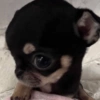
🐶 Tiny Head Chihuahua
A chihuahua with an unusually small head. Use when expressing cuteness or oddness.
-

🐶 Wet Dog Face
A small dog with wet fur looking grumpy. Use when feeling annoyed or grumpy.
-

🦊 Animated Fox
An animated fox character with a surprised expression. Use in surprising or unexpected scenarios.
-

😜 Silly Chihuahua
A chihuahua making a silly face with its tongue out. Use for silly or humorous situations.
-

🐕 Cool Dog with Cap
A dog wearing a cap and winking with its tongue out. Use for cool or fun situations.
-

😎 Seal with Bangs
A seal with human-like bangs. Use when feeling fashionable or quirky.
-

🐶 Zen Dog
A peaceful dog with a calm expression. Use when feeling calm or seeking peace.
-

😊 Smiling Puppy
A puppy with a grin on its face. Use when happy or satisfied.
-

😴 Sleepy Cat
A sleepy cat with droopy eyes and tongue out. Use when feeling tired or lazy.
-

🎧 Gamer Cat
A cat wearing headphones and drinking a soda. Use when gaming or chilling out.
-

✌️ Peace Sign Hamster
A hamster holding up a peace sign with its paw. Use when expressing peace or friendship.
-

🐱 Explosive Cat
A cat standing calmly with an explosion in the background. Use in dramatic or unexpected situations.
-

🐱 Wizard Cat
A cat dressed as a wizard with a hat and staff. Use in magical or enchanting situations.
-

🐶 Gangsta Chihuahua
A chihuahua wearing a pink sweater and holding a gun. Use in comedic or exaggerated tough situations.
-

😺 Cat Costume Oddity
A person dressed in a weird cat costume. When feeling odd or eccentric.
-

👍 Thumbs Up Dog
A dog giving a thumbs-up gesture. Use to show approval or agreement.
-

😺 Yawning Kitten
A kitten yawning with its mouth wide open. Use when feeling sleepy or bored.
-
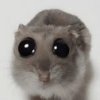
👀 Big-Eyed Animal
A small animal with exaggeratedly large eyes. Use when surprised or curious.
-

🤨 Eyebrow Dog
A dog with drawn-on eyebrows. Use for humorous reactions.
-

🔪 Puppy with Knife
A puppy holding a knife in its paw. Use when being playful or threatening in jest.
-
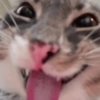
😛 Playful Cat
A cat making a funny face with its tongue out. Use for playful or lighthearted messages.
WhatsApp par download aur install karein
Is sticker pack ko apne WhatsApp par install karne ke liye Sticker Maker app zaroori hai. Agar aapke paas nahi hai, to yahan se download karein: Google Play Store aur App Store. Phone mein app aa jaane ke baad ye steps follow karein:
- Neeche di gayi sticker file download karein (iska extension .wastickers hai). Download hui file ko apne mobile mein dhoondhein aur us par tap karein. Aapka phone poochega ki ise kis app se kholna hai; Sticker Maker chunein. App is file ko automatically naye sticker pack ke roop mein pehchaan lega.
- Jab pack Sticker Maker mein dikh jaye, to "Meri library mein add karein" wala button dabayein, phir "WhatsApp mein add karein", bas ho gaya! Aapke naye stickers aapki saari WhatsApp chats mein use ke liye ready honge.
Sticker.ly se WhatsApp par install karein
Is pack ko add karne ka ek aasan tareeka hai Sticker.ly app. Agar aapke paas abhi tak nahi hai, to yahan se download karein: Google Play Store aur App Store. Phir in do aasan tareekon mein se ek chunein:
- Direct link se: Bas pack ke is link par tap karein: J7FS5G. Agar aapke paas Sticker.ly install hai, to stickers turant app mein dikh jayenge.
- Pack code se: Chahein to yahan tap karke "pack code" copy karein: aur use Sticker.ly app ke search bar mein paste kar dein.
Sticker.ly mein pahunchne ke baad "WhatsApp mein add karein" par tap karke confirm karein, aur stickers turant aapke WhatsApp app mein bhej diye jayenge.
Telegram par use karein
Telegram users ke liye sticker pack install karna bilkul aasan hai, ye feature app mein hi hai. Bas is link par jaayein, jo aapko Telegram par le jayega: stickerly_J7FS5G_by_stickerly_official_bot. App khulte hi aapko pack dikh jayega aur aap use apni library mein add kar sakte hain, kisi doosre app ki zaroorat nahi.























