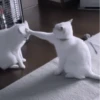
Random Animals Pack
📦 A collection of random animal stickers with humorous and quirky themes. Perfect for use in messages where humor and randomness are appreciated. The 'Random Animals Pack' pack includes 21 stickers must-have stickers. Free download to install on WhatsApp.
-

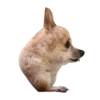
🐶 Tiny Head Chihuahua
A chihuahua with an unusually small head. Use when expressing cuteness or oddness.
-

🐶 Wet Dog Face
A small dog with wet fur looking grumpy. Use when feeling annoyed or grumpy.
-


🦊 Animated Fox
An animated fox character with a surprised expression. Use in surprising or unexpected scenarios.
-

😜 Silly Chihuahua
A chihuahua making a silly face with its tongue out. Use for silly or humorous situations.
-

🐕 Cool Dog with Cap
A dog wearing a cap and winking with its tongue out. Use for cool or fun situations.
-

😎 Seal with Bangs
A seal with human-like bangs. Use when feeling fashionable or quirky.
-

🐶 Zen Dog
A peaceful dog with a calm expression. Use when feeling calm or seeking peace.
-

😊 Smiling Puppy
A puppy with a grin on its face. Use when happy or satisfied.
-

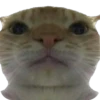
😴 Sleepy Cat
A sleepy cat with droopy eyes and tongue out. Use when feeling tired or lazy.
-

🎧 Gamer Cat
A cat wearing headphones and drinking a soda. Use when gaming or chilling out.
-

✌️ Peace Sign Hamster
A hamster holding up a peace sign with its paw. Use when expressing peace or friendship.
-

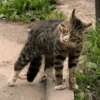
🐱 Explosive Cat
A cat standing calmly with an explosion in the background. Use in dramatic or unexpected situations.
-

🐱 Wizard Cat
A cat dressed as a wizard with a hat and staff. Use in magical or enchanting situations.
-

🐶 Gangsta Chihuahua
A chihuahua wearing a pink sweater and holding a gun. Use in comedic or exaggerated tough situations.
-

😺 Cat Costume Oddity
A person dressed in a weird cat costume. When feeling odd or eccentric.
-

👍 Thumbs Up Dog
A dog giving a thumbs-up gesture. Use to show approval or agreement.
-

😺 Yawning Kitten
A kitten yawning with its mouth wide open. Use when feeling sleepy or bored.
-
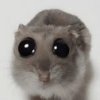
👀 Big-Eyed Animal
A small animal with exaggeratedly large eyes. Use when surprised or curious.
-

🤨 Eyebrow Dog
A dog with drawn-on eyebrows. Use for humorous reactions.
-

🔪 Puppy with Knife
A puppy holding a knife in its paw. Use when being playful or threatening in jest.
-
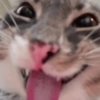
😛 Playful Cat
A cat making a funny face with its tongue out. Use for playful or lighthearted messages.
Download and Install on WhatsApp
The Sticker Maker app is necessary to install this sticker pack on your WhatsApp. If you don't have it, download it from: Google Play Store and App Store. Once you have it on your phone, follow these instructions:
- Download the sticker file we provide below (it has the .wastickers extension). Locate the downloaded file on your mobile and tap it. Your device will ask you which application you want to open it with; select Sticker Maker. The app will automatically recognize the file as a new sticker pack.
- Once you see the pack inside Sticker Maker, just press the button that says "Add to My Library", then "Add to WhatsApp" and that's it! Your new stickers will be available for use in all your WhatsApp conversations.
Installation on WhatsApp with Sticker.ly
An easy way to add this pack is through the Sticker.ly app. If you don't have it yet, download it from: Google Play Store and App Store. Then choose one of these two simple methods:
- With Direct Link: Simply tap this link to the pack J7FS5G. If you have Sticker.ly installed, you will immediately see the stickers in the app.
- Using the Pack Code: If you prefer, you can copy the "pack code" by tapping here: and paste it into the search bar inside the Sticker.ly app.
Once inside Sticker.ly, confirm the action by tapping "Add to WhatsApp" and the stickers will be instantly sent to your WhatsApp app.
Use on Telegram
For Telegram users, installing a sticker pack is a native and extremely simple process. Just follow this link that will take you to Telegram: stickerly_J7FS5G_by_stickerly_official_bot. When the app opens, you will instantly see the pack and can add it to your library, without the need for third-party apps.