

Funny 🦭😀
📦 A humorous pack of animal images creating funny and quirky scenarios. Perfect for light-hearted and amusing moments in chat. 'Funny 🦭😀' pack mein 10 stickers hain har baatcheet ke liye. WhatsApp par install karne ke liye free download.
-
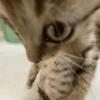
🐱 Close-Up Curious Cat
A close-up view of a curious cat looking down. Used to express curiosity or interest.
-
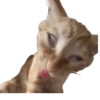
😕 Confused Cat Tongue Out
A cat with a confused expression, tongue sticking out. Used to convey confusion or silliness.
-

👀 Cat Watching Intensely
A side view of a cat intensely watching something. Used for situations involving focus or curiosity.
-

👐 Open Arms Monkey
A monkey standing with arms open wide in a welcoming gesture. Used for welcoming or inviting humorously.
-

😒 Skeptical Cat
A cat with a skeptical expression, head tilted slightly. Used to express doubt or skepticism.
-

😺 Dancing Cat
A cat standing upright looking like it's dancing. Used to express joy or fun in a conversation.
-

🐶 Dog High-Five
A dog sitting with one paw raised, like giving a high-five. Used to celebrate or agree humorously.
-
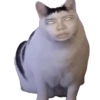
😸 Cat with Human Face
A cat sitting with a superimposed human face, eyes glowing. Adding a humorous or creepy twist to conversations.
-

🐶 Squinting Dog
A dog with squinted eyes, looking skeptical. Used to convey doubt or disbelief.
-
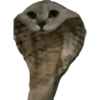
🐦 Owl-Cat Hybrid
A hybrid image combining features of an owl and a cat. For quirky or unique humorous contexts.
WhatsApp par download aur install karein
Is sticker pack ko apne WhatsApp par install karne ke liye Sticker Maker app zaroori hai. Agar aapke paas nahi hai, to yahan se download karein: Google Play Store aur App Store. Phone mein app aa jaane ke baad ye steps follow karein:
- Neeche di gayi sticker file download karein (iska extension .wastickers hai). Download hui file ko apne mobile mein dhoondhein aur us par tap karein. Aapka phone poochega ki ise kis app se kholna hai; Sticker Maker chunein. App is file ko automatically naye sticker pack ke roop mein pehchaan lega.
- Jab pack Sticker Maker mein dikh jaye, to "Meri library mein add karein" wala button dabayein, phir "WhatsApp mein add karein", bas ho gaya! Aapke naye stickers aapki saari WhatsApp chats mein use ke liye ready honge.
Sticker.ly se WhatsApp par install karein
Is pack ko add karne ka ek aasan tareeka hai Sticker.ly app. Agar aapke paas abhi tak nahi hai, to yahan se download karein: Google Play Store aur App Store. Phir in do aasan tareekon mein se ek chunein:
- Direct link se: Bas pack ke is link par tap karein: OIQWP4. Agar aapke paas Sticker.ly install hai, to stickers turant app mein dikh jayenge.
- Pack code se: Chahein to yahan tap karke "pack code" copy karein: aur use Sticker.ly app ke search bar mein paste kar dein.
Sticker.ly mein pahunchne ke baad "WhatsApp mein add karein" par tap karke confirm karein, aur stickers turant aapke WhatsApp app mein bhej diye jayenge.
Telegram par use karein
Telegram users ke liye sticker pack install karna bilkul aasan hai, ye feature app mein hi hai. Bas is link par jaayein, jo aapko Telegram par le jayega: stickerly_OIQWP4_by_stickerly_official_bot. App khulte hi aapko pack dikh jayega aur aap use apni library mein add kar sakte hain, kisi doosre app ki zaroorat nahi.























