Funny 🦭😀
📦 A humorous pack of animal images creating funny and quirky scenarios. Perfect for light-hearted and amusing moments in chat. The 'Funny 🦭😀' pack includes 10 stickers for any conversation. Free download to install on WhatsApp.
-

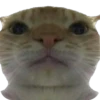
🐱 Close-Up Curious Cat
A close-up view of a curious cat looking down. Used to express curiosity or interest.
-

😕 Confused Cat Tongue Out
A cat with a confused expression, tongue sticking out. Used to convey confusion or silliness.
-

👀 Cat Watching Intensely
A side view of a cat intensely watching something. Used for situations involving focus or curiosity.
-

👐 Open Arms Monkey
A monkey standing with arms open wide in a welcoming gesture. Used for welcoming or inviting humorously.
-

😒 Skeptical Cat
A cat with a skeptical expression, head tilted slightly. Used to express doubt or skepticism.
-

😺 Dancing Cat
A cat standing upright looking like it's dancing. Used to express joy or fun in a conversation.
-

🐶 Dog High-Five
A dog sitting with one paw raised, like giving a high-five. Used to celebrate or agree humorously.
-

😸 Cat with Human Face
A cat sitting with a superimposed human face, eyes glowing. Adding a humorous or creepy twist to conversations.
-

🐶 Squinting Dog
A dog with squinted eyes, looking skeptical. Used to convey doubt or disbelief.
-

🐦 Owl-Cat Hybrid
A hybrid image combining features of an owl and a cat. For quirky or unique humorous contexts.
Download and Install on WhatsApp
The Sticker Maker app is necessary to install this sticker pack on your WhatsApp. If you don't have it, download it from: Google Play Store and App Store. Once you have it on your phone, follow these instructions:
- Download the sticker file we provide below (it has the .wastickers extension). Locate the downloaded file on your mobile and tap it. Your device will ask you which application you want to open it with; select Sticker Maker. The app will automatically recognize the file as a new sticker pack.
- Once you see the pack inside Sticker Maker, just press the button that says "Add to My Library", then "Add to WhatsApp" and that's it! Your new stickers will be available for use in all your WhatsApp conversations.
Installation on WhatsApp with Sticker.ly
An easy way to add this pack is through the Sticker.ly app. If you don't have it yet, download it from: Google Play Store and App Store. Then choose one of these two simple methods:
- With Direct Link: Simply tap this link to the pack OIQWP4. If you have Sticker.ly installed, you will immediately see the stickers in the app.
- Using the Pack Code: If you prefer, you can copy the "pack code" by tapping here: and paste it into the search bar inside the Sticker.ly app.
Once inside Sticker.ly, confirm the action by tapping "Add to WhatsApp" and the stickers will be instantly sent to your WhatsApp app.
Use on Telegram
For Telegram users, installing a sticker pack is a native and extremely simple process. Just follow this link that will take you to Telegram: stickerly_OIQWP4_by_stickerly_official_bot. When the app opens, you will instantly see the pack and can add it to your library, without the need for third-party apps.