Black Kitten Mood
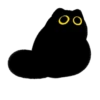
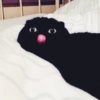
📦 A moody black kitten with oversized eyes in a variety of cute, sleepy, annoyed, and dreamy expressions. For chatting emotions like surprise, boredom, annoyance, calm, sleepiness, and soft affection. The 'Black Kitten Mood' pack includes 21 stickers easy to install. Free download to install on WhatsApp.
-

😳 Shocked
The kitten stares ahead with huge round eyes in total shock. Use for sudden surprise or disbelief.
-

😶 Tiny Pause
The kitten sits quietly with a soft, uncertain look. For a brief, thoughtful pause.
-

🥺 Big-Eyed Wait
The kitten sits and looks up with innocent, expectant eyes. Use when waiting for an answer or treat.
-

😑 Blank Stare
The kitten gives a flat, unimpressed stare. For deadpan or unimpressed reactions.
-

😒 Side-Eye
The kitten sits with a skeptical, mildly judging look. For skeptical side-eye reactions.
-

😤 Huffing Away
The kitten turns away with a grumpy, offended expression. For sulking or turning away in annoyance.
-

😾 Tiny Grump
The kitten sits with a stern, grumpy face. For mild grumpiness or disapproval.
-

😮 Wide-Eyed Sit
The kitten sits still, looking gently startled and curious. For soft surprise or curiosity.
-

👀 Emerging from Green
The kitten peeks out from a leafy green background with a soft, watchful look. For peeking, lurking, or gentle curiosity.
-

☕ Tea Time
The kitten sits beside a cup, looking politely present and calm. For tea, snacks, or a calm break.
-

😊 Soft Smile
The kitten tilts its head with a gentle, friendly smile. For warm, sweet, or reassuring moments.
-

😴 Half-Closed Mood
The kitten sits with sleepy, half-lidded eyes and a very calm face. For sleepy calm or low-energy vibes.
-

😠 Tiny Glare
The kitten looks up with a stern, suspicious glare. For suspicion or stern disapproval.
-

👀 Big-Eyed Calm
The kitten sits upright, staring quietly with a neutral, alert look. For quiet attention or alert calm.
-

👀 Peeking in the Dark
The kitten peeks from a dark, leafy nest with a watchful expression. For lurking, peeking, or staying on watch.
-

😵 Flat on the Floor
The kitten lies sprawled out, looking pleasantly exhausted or shocked. For dramatic exhaustion or being stunned.
-

😪 Tired Eyes
The kitten looks up with exhausted, droopy eyes and a tiny pout. For tired, worn-out, or mildly sad moments.
-

🌫️ Lost in the Mist
The kitten is partly hidden in a green mist, watching quietly. For hidden, mysterious, or quiet vibes.
-

😵 Collapsed
The kitten lies on its side, flattened out in total exhaustion. For being totally wiped out.
-

😭 Crying Face Down
The kitten lies face down with tears running from its eyes. For crying, heartbreak, or dramatic sadness.
-

🌅 Tired at Sunset
The kitten sits with a sleepy, half-lidded stare in a soft sunset scene. For winding down, fatigue, or golden-hour calm.
Download and Install on WhatsApp
The Sticker Maker app is necessary to install this sticker pack on your WhatsApp. If you don't have it, download it from: Google Play Store and App Store. Once you have it on your phone, follow these instructions:
- Download the sticker file we provide below (it has the .wastickers extension). Locate the downloaded file on your mobile and tap it. Your device will ask you which application you want to open it with; select Sticker Maker. The app will automatically recognize the file as a new sticker pack.
- Once you see the pack inside Sticker Maker, just press the button that says "Add to My Library", then "Add to WhatsApp" and that's it! Your new stickers will be available for use in all your WhatsApp conversations.
Installation on WhatsApp with Sticker.ly
An easy way to add this pack is through the Sticker.ly app. If you don't have it yet, download it from: Google Play Store and App Store. Then choose one of these two simple methods:
- With Direct Link: Simply tap this link to the pack TQ7OGX. If you have Sticker.ly installed, you will immediately see the stickers in the app.
- Using the Pack Code: If you prefer, you can copy the "pack code" by tapping here: and paste it into the search bar inside the Sticker.ly app.
Once inside Sticker.ly, confirm the action by tapping "Add to WhatsApp" and the stickers will be instantly sent to your WhatsApp app.
Use on Telegram
For Telegram users, installing a sticker pack is a native and extremely simple process. Just follow this link that will take you to Telegram: stickerly_TQ7OGX_by_stickerly_official_bot. When the app opens, you will instantly see the pack and can add it to your library, without the need for third-party apps.