Edited Kittens

📦 Hilarious edited cat photos for every mood: thumbs up, shock, anger, cool vibes and chaos. Perfect chat reactions. Use these edited cats to react in chats: agree, panic, roast friends, celebrate or drop a deadpan stare. The 'Edited Kittens' pack includes 30 stickers for any conversation. Free download to install on WhatsApp.
-

👍 Thumbs-Up Cat
A wide-eyed cat raising its paw in a thumbs-up. When you approve, agree, or cheer someone on.
-

👍 Sly Thumbs-Up
A black cat glancing aside with a thumbs-up emoji. Dry approval or a sarcastic sure, okay.
-

💥 Mind Blown
A cat with a mushroom cloud bursting from its head. When news is so wild your brain just detonates.
-

😎 Cool Sunglasses
A ginger-and-white cat posing in black sunglasses. When you feel unstoppable or drop a cool line.
-
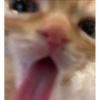

😱 Screaming Kitten
Extreme close-up of a kitten screaming with tongue out. Pure panic, cringe, or a dramatic overreaction.
-

😲 Total Shock
A tuxedo cat frozen in shock with a gasp emoji. When something totally unexpected happens.
-

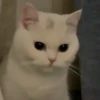
😐 Awkward Stare
A white cat staring blankly with an awkward smile. Uncomfortable silence or nothing left to say.
-
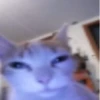
😒 Side-Eye Cat
A blurry cat giving a tired, unimpressed look. When you are completely done with this chat.
-

🫵 You! Screaming
A roaring cat with a pointing-hand emoji at you. Calling someone out or pinning the blame.
-
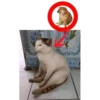
🐕 Cat Like a Dog
A cat sitting like a dog, compared to the Cheems pose. When someone copies a pose or acts out of character.
-
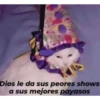
🤡 Clown Show Cat
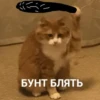
A cat in a clown hat with a Spanish caption about shows. When a talented friend still ends up in a mess.
-

💥 Apocalypse Kitten
A tiny kitten standing before a giant explosion cloud. Feeling tiny in front of huge chaos or drama.
-
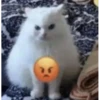
😠 Furious Fluff
A fluffy white cat looking furious with an angry emoji. When you are quietly seething or hangry.
-
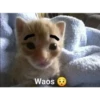
😮 Waos Kitten
A kitten with drawn eyebrows and the word Waos. Fake shock or a sarcastic wow.
-
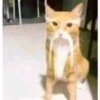
🧔 Bearded Cat
An orange cat with a long white beard photoshopped on. Wise advice, grandpa energy, or aging jokes.
-
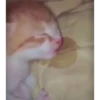
😴 Sleepy Tongue
A sleeping kitten with its tongue slightly out. Napping, being lazy, or signing off for the night.
-

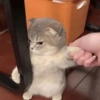
🤗 Arms Wide Open
A grey cat standing on two legs with arms wide open. Offering a hug, celebrating, or saying come here.
-
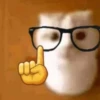
🤓 Smart Idea Cat
A cat in glasses raising a finger like it has a point. Sharing a smart take or a know-it-all correction.
-

‼️ Wait, What?!
A white cat recoiling with three exclamation marks. Sudden surprise or wait, hold on a second.
-

✨ Golden Ascension
A cat floating in a burst of golden light. Peak happiness, winning, or a glorious exit.
-
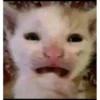
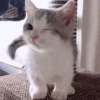
😬 Awkward Smile
A white kitten forcing a wide, uneasy smile. Pretending everything is fine when it is not.
-
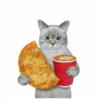
🍕 Pizza and Coffee
A grey cat holding a pizza slice and a coffee cup. Lunch plans, comfort food, or a cozy break.
-
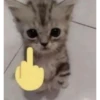
🖕 Cute but Rude
An adorable kitten paired with a middle-finger emoji. A cute way to say no, buzz off, or I'm done.
-
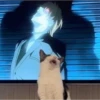
🎤 Anime Fan Cat
A cat meowing in front of a dramatic anime scene. Matching theatrical energy or singing along.
-
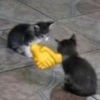
🤝 Kitten Handshake
Two kittens with a handshake emoji between them. Making peace, closing a deal, or saying deal.
-

❓ Confused Cat
A white cat tilting its head next to a question mark. When a message makes absolutely no sense.
-
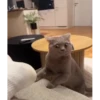
👀 Intense Stare
A grey cat staring intensely at something off-screen. Obsessed with a snack or waiting for your next move.
-
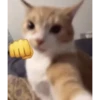
👊 Fist Bump
An orange cat ready to fist-bump with a fist emoji. Congrats, solidarity, or we got this.
-
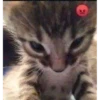
😡 Grumpy Kitten
A tiny tabby looking extra grumpy with an angry mark. Mild rage, being woken up, or petty annoyance.
-
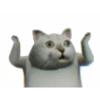
🙌 Hands Up
A white cat throwing both paws up in shock. Giving up, surrendering, or I can't even.
Download and Install on WhatsApp
The Sticker Maker app is necessary to install this sticker pack on your WhatsApp. If you don't have it, download it from: Google Play Store and App Store. Once you have it on your phone, follow these instructions:
- Download the sticker file we provide below (it has the .wastickers extension). Locate the downloaded file on your mobile and tap it. Your device will ask you which application you want to open it with; select Sticker Maker. The app will automatically recognize the file as a new sticker pack.
- Once you see the pack inside Sticker Maker, just press the button that says "Add to My Library", then "Add to WhatsApp" and that's it! Your new stickers will be available for use in all your WhatsApp conversations.