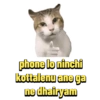
Telugu Chimtu 5
📦 The 'Telugu Chimtu 5' pack includes 18 stickers for any conversation. Free download to install on WhatsApp.
-

*Attack chesanante, Aaru nelalu bed rest thiskuntav
-

U amre olright U juzz need burra ki Curremt
-

ENTI THAMUDU FEEL ANTHA CHEDA THENGAV
-

-
confirm narakam pothaadu
-

ENDUKU ANDI HELANA CHESTARU
-

*veditho danger let him go
-

This is pure madness ☑ r
-

-

Ni istam guru nuv adigithe na Vat kayallu ayna kosi ichestha..
-

9 Manishi Ruupam Lo Mass God ni Live Lo Meeru Chusthunaaru
-
Slow ga vellina thenguley, Speed ga vellina thenguley lethammudu. Sled
-

2009 Vellakandi sir please sir mem kuda vachestham 35 meetho
-

M'da edhi ayithe adhi ayindhi
-

*Any perticular reasons, tell me
-

*Kodi brain pumka
-

Aagara ungamma nariki thengutha eroju ninnu
-

/NOTI DOGLA ori deenekka. eto thengesthundhi roiii...
Download and Install on WhatsApp
The Sticker Maker app is necessary to install this sticker pack on your WhatsApp. If you don't have it, download it from: Google Play Store and App Store. Once you have it on your phone, follow these instructions:
- Download the sticker file we provide below (it has the .wastickers extension). Locate the downloaded file on your mobile and tap it. Your device will ask you which application you want to open it with; select Sticker Maker. The app will automatically recognize the file as a new sticker pack.
- Once you see the pack inside Sticker Maker, just press the button that says "Add to My Library", then "Add to WhatsApp" and that's it! Your new stickers will be available for use in all your WhatsApp conversations.
Installation on WhatsApp with Sticker.ly
An easy way to add this pack is through the Sticker.ly app. If you don't have it yet, download it from: Google Play Store and App Store. Then choose one of these two simple methods:
- With Direct Link: Simply tap this link to the pack R22M8K. If you have Sticker.ly installed, you will immediately see the stickers in the app.
- Using the Pack Code: If you prefer, you can copy the "pack code" by tapping here: and paste it into the search bar inside the Sticker.ly app.
Once inside Sticker.ly, confirm the action by tapping "Add to WhatsApp" and the stickers will be instantly sent to your WhatsApp app.
Use on Telegram
For Telegram users, installing a sticker pack is a native and extremely simple process. Just follow this link that will take you to Telegram: stickerly_R22M8K_by_stickerly_official_bot. When the app opens, you will instantly see the pack and can add it to your library, without the need for third-party apps.