

Telugu stickers 2.0 Ravikanth
📦 The 'Telugu stickers 2.0 Ravikanth' pack includes 30 stickers must-have stickers. Free download to install on WhatsApp.
-

Enti Nenaaa....
-

TISTHA... TALENT MOTHAM BYTAKI TISTHA..
-

AADA PILLALU ANTE AATA BOMMALU LA KANAPADUTHUNAR RAA...
-

Edho Goppa vishayam la chepav kada...
-

ENTI Ne PROBLEM
-

Enti…... Diniki kuda party aduguthara
-

iDreamMedia.com Chudu nen party lu B'day ki matrame istha.... inkepudu memu party lu cheskomu
-

Super Adirindhi... FB/SarcasmLol
-

HEY WOW
-

WHERE IS ROMANCE FORCE WANT ROMANCE
-

Mamulga undadhu Ah type untundhi
-

idi chalu babu.. idi chaluu...
-

ENTI ANDI ANTHA MATA AnnARU....
-

REY ASALA nee PROBLEM ENTRA
-

OK...nenu BAGA HURT AYYA
-

Vasthunanu Ra
-

✓ SORRY SIR some Times EDHO ALAAA...
-

Em chepthunav Babu Nv
-

GFlbo SIGGUNDAL RA........
-
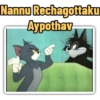
Nannu Rechagottaku Aypothav
-

ENTI MAAKU EE KHARMA
-

YEDAVA VACHADRONI
-

Idhem Karma Ra Devuda...
-

Entayya Chavagoduthunav
-

Eedi Hadavidi chudu
-

ANTHE GA MARI
-

BHAVYA CREA nvvenTRAAAA ILA UNNAV
-

ADHI APPUDU RA...
-

TELIDHANDI.. ANTE VINNAANU
-

Naakem telidu
Download and Install on WhatsApp
The Sticker Maker app is necessary to install this sticker pack on your WhatsApp. If you don't have it, download it from: Google Play Store and App Store. Once you have it on your phone, follow these instructions:
- Download the sticker file we provide below (it has the .wastickers extension). Locate the downloaded file on your mobile and tap it. Your device will ask you which application you want to open it with; select Sticker Maker. The app will automatically recognize the file as a new sticker pack.
- Once you see the pack inside Sticker Maker, just press the button that says "Add to My Library", then "Add to WhatsApp" and that's it! Your new stickers will be available for use in all your WhatsApp conversations.
Installation on WhatsApp with Sticker.ly
An easy way to add this pack is through the Sticker.ly app. If you don't have it yet, download it from: Google Play Store and App Store. Then choose one of these two simple methods:
- With Direct Link: Simply tap this link to the pack V04I8S. If you have Sticker.ly installed, you will immediately see the stickers in the app.
- Using the Pack Code: If you prefer, you can copy the "pack code" by tapping here: and paste it into the search bar inside the Sticker.ly app.
Once inside Sticker.ly, confirm the action by tapping "Add to WhatsApp" and the stickers will be instantly sent to your WhatsApp app.
Use on Telegram
For Telegram users, installing a sticker pack is a native and extremely simple process. Just follow this link that will take you to Telegram: stickerly_V04I8S_by_stickerly_official_bot. When the app opens, you will instantly see the pack and can add it to your library, without the need for third-party apps.























