Chat singkat/anomali
📦 The 'Chat singkat/anomali' pack includes 23 stickers easy to install. Free download to install on WhatsApp.
-
ANJIRR??! 10.23 WAT DE PAKK 10.23 INI LUCU. 10.23 AKU MAU MATI 10.24 ✓
-
manis bgt 1 19:09 bangsaaat 1 19:09 gakuat 119:09 nikah bs gasi 1 19:09 hehehehe 1 19:09
-
lucu bgt anjay hahahahahaha ayo pacaran aja kiwkiw
-
diem diem anjeng DIEM setan
-
อง 16.06 gila 16.06 ngetik nya ngaco 16.06 sinting 16.06 gsh begitu 16.06
-
bcot 19.32✓ sholat 19.32 tobat sn 19.32✓ O это
-

Y 05:14 aku lg g mut 05:15 ✓ km mau aku bunuh 05:15
-
ya ok 4:02 PM okelah 4:02 PM ✔ oke kalo gitu 4:02 PM okey 4:02 PM siyaap 4:02 PM ✔ siap 4:03 PM sip 4:03 PM
-
kenapa sih 20.50 aneh amat y gajelas 20.50 freak 20.50 20.50
-
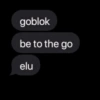
goblok be to the go elu
-
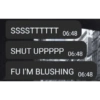
SSSSTTTTTT 06:48 SHUT UPPPPP 06:48 FU I'M BLUSHING 06:48
-

Najonggg 09.54 saltingan lu 09.54 males gua 09.54 0
-
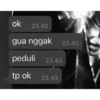
ok 23.43 gua nggak 23.43 peduli 23.43 tp ok 23.43
-
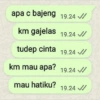
apa c bajeng 19.24 / km gajelas 19.24 / tudep cinta 19.24 km mau apa? 19.24 / mau hatiku? 19.24
-
ydh 7:33 PM out sn. 7:33 PM
-
gue cemburu? 21.41 WKWKWK 21.41 iya. 21.41 Ketik pesan 3 pesan belur
-
Dokyeom yaallah astagfirullah subhanallah allahuakbar
-
kun aelaaaaaaaah ak gsk y 20.35 diginiin 20.35 ak skit hti 20.35 20.35
-
stop anjg 00.13 gue jomblo 00.14 tega lu ya 00.14 +
-

manggil manggil mulu naksir ya?
-
jeffran ah mls gk mut
-
<50 kenapa cuek di copet ya hp nya
-
mukany MENGGODA ky takjil 10.42
Download and Install on WhatsApp
The Sticker Maker app is necessary to install this sticker pack on your WhatsApp. If you don't have it, download it from: Google Play Store and App Store. Once you have it on your phone, follow these instructions:
- Download the sticker file we provide below (it has the .wastickers extension). Locate the downloaded file on your mobile and tap it. Your device will ask you which application you want to open it with; select Sticker Maker. The app will automatically recognize the file as a new sticker pack.
- Once you see the pack inside Sticker Maker, just press the button that says "Add to My Library", then "Add to WhatsApp" and that's it! Your new stickers will be available for use in all your WhatsApp conversations.
Installation on WhatsApp with Sticker.ly
An easy way to add this pack is through the Sticker.ly app. If you don't have it yet, download it from: Google Play Store and App Store. Then choose one of these two simple methods:
- With Direct Link: Simply tap this link to the pack UNL17V. If you have Sticker.ly installed, you will immediately see the stickers in the app.
- Using the Pack Code: If you prefer, you can copy the "pack code" by tapping here: and paste it into the search bar inside the Sticker.ly app.
Once inside Sticker.ly, confirm the action by tapping "Add to WhatsApp" and the stickers will be instantly sent to your WhatsApp app.
Use on Telegram
For Telegram users, installing a sticker pack is a native and extremely simple process. Just follow this link that will take you to Telegram: stickerly_UNL17V_by_stickerly_official_bot. When the app opens, you will instantly see the pack and can add it to your library, without the need for third-party apps.