Text plenger
📦 The 'Text plenger' pack includes 23 stickers must-have stickers. Free download to install on WhatsApp.
-

plenger
-
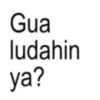
Gua ludahin ya?
-
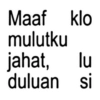
Maaf klo mulutku jahat, יכ lu duluan si
-
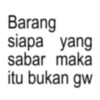
Barang siapa yang sabar maka itu bukan gw
-
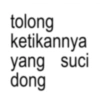
tolong ketikannya yang suci dong
-

hormon menstruasi klo bentukannya orang dah gua gampar
-
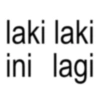
laki laki ini lagi
-
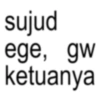
sujud ege, gw ketuanya
-
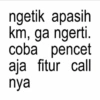
ngetik apasih km, ga ngerti. coba pencet aja fitur call nya
-
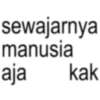
sewajarnya manusia aja kak
-
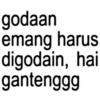
godaan emang harus digodain, hai gantenggg
-
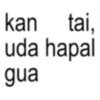
kan tai, uda hapal gua
-

jangan tanya, aku juga bingung
-

buku gambar diatas bangku, apa kabar sayangku J@clwilllco08
-
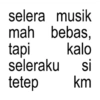
selera musik mah bebas, tapi kalo seleraku si tetep km
-
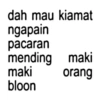
dah mau kiamat ngapain pacaran mending maki maki orang bloon
-
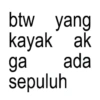
btw yang kayak ak ga ada sepuluh
-

akal- akalan hopeless romantic
-
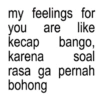
my feelings for you are like kecap bango, karena soal rasa ga pernah bohong
-

males overthinking jadi overlovingyou aja gimana? dreyours_melove
-
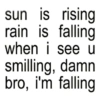
sun is rising rain is falling when i see u smilling, damn bro, i'm falling
-

realistis tapi capek
-

kenapa bahasa inggris ada perfect tense? karena kalo perfect person itu km
Download and Install on WhatsApp
The Sticker Maker app is necessary to install this sticker pack on your WhatsApp. If you don't have it, download it from: Google Play Store and App Store. Once you have it on your phone, follow these instructions:
- Download the sticker file we provide below (it has the .wastickers extension). Locate the downloaded file on your mobile and tap it. Your device will ask you which application you want to open it with; select Sticker Maker. The app will automatically recognize the file as a new sticker pack.
- Once you see the pack inside Sticker Maker, just press the button that says "Add to My Library", then "Add to WhatsApp" and that's it! Your new stickers will be available for use in all your WhatsApp conversations.
Installation on WhatsApp with Sticker.ly
An easy way to add this pack is through the Sticker.ly app. If you don't have it yet, download it from: Google Play Store and App Store. Then choose one of these two simple methods:
- With Direct Link: Simply tap this link to the pack D4NRTW. If you have Sticker.ly installed, you will immediately see the stickers in the app.
- Using the Pack Code: If you prefer, you can copy the "pack code" by tapping here: and paste it into the search bar inside the Sticker.ly app.
Once inside Sticker.ly, confirm the action by tapping "Add to WhatsApp" and the stickers will be instantly sent to your WhatsApp app.
Use on Telegram
For Telegram users, installing a sticker pack is a native and extremely simple process. Just follow this link that will take you to Telegram: stickerly_D4NRTW_by_stickerly_official_bot. When the app opens, you will instantly see the pack and can add it to your library, without the need for third-party apps.