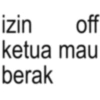
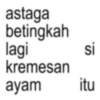
Stiker Anomali 📝
📦 The 'Stiker Anomali 📝' pack includes 15 stickers ready to share. Free download to install on WhatsApp.
-

Sayaaaaanggg cepet pulang dong ceritaaaa mau
-

Dibalesnya taun depan kek nya nih
-

Maaf sedang malas baca chat~
-

Rasa nyaman yang aku dapet dari kamu itu gak ada yang bisa nyamain
-

Aman.
-

Malah ngegame. Oke. Bye.
-

Sedang pusing.
-
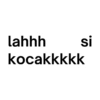
lahhh kocakkkkk si
-

Drama mulu idup loe heran dah gua
-
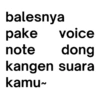
balesnya pake voice note dong kangen suara kamu~
-

Makan bentaran dulu
-
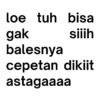
loe tuh bisa gak balesnya siiih cepetan dikiit astagaaaa
-
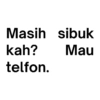
Masih sibuk kah? Mau telfon.
-
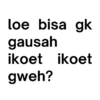
loe bisa gk gausah ikoet ikoet gweh?
-

Skip dulu dah blom tidur gua sumpah
Download and Install on WhatsApp
The Sticker Maker app is necessary to install this sticker pack on your WhatsApp. If you don't have it, download it from: Google Play Store and App Store. Once you have it on your phone, follow these instructions:
- Download the sticker file we provide below (it has the .wastickers extension). Locate the downloaded file on your mobile and tap it. Your device will ask you which application you want to open it with; select Sticker Maker. The app will automatically recognize the file as a new sticker pack.
- Once you see the pack inside Sticker Maker, just press the button that says "Add to My Library", then "Add to WhatsApp" and that's it! Your new stickers will be available for use in all your WhatsApp conversations.
Installation on WhatsApp with Sticker.ly
An easy way to add this pack is through the Sticker.ly app. If you don't have it yet, download it from: Google Play Store and App Store. Then choose one of these two simple methods:
- With Direct Link: Simply tap this link to the pack K1TUVH. If you have Sticker.ly installed, you will immediately see the stickers in the app.
- Using the Pack Code: If you prefer, you can copy the "pack code" by tapping here: and paste it into the search bar inside the Sticker.ly app.
Once inside Sticker.ly, confirm the action by tapping "Add to WhatsApp" and the stickers will be instantly sent to your WhatsApp app.
Use on Telegram
For Telegram users, installing a sticker pack is a native and extremely simple process. Just follow this link that will take you to Telegram: stickerly_K1TUVH_by_stickerly_official_bot. When the app opens, you will instantly see the pack and can add it to your library, without the need for third-party apps.