KataKata (3)
📦 The 'KataKata (3)' pack includes 16 stickers with great variety. Free download to install on WhatsApp. These stickers contain phrases in Indonesian.
-

Hibur aku pliss, jamet satu ini sedang tidak baik baik sajaaa.
-
Setelah empat belas itu berapa sih? Lama bales ya?
-
Kalo sekolahnya upin ipin itu namanya apa sih? Tadinya mesra ya?
-

Benua yang paling dingin apa ya? Antar kita.
-

Kalo minjem barang orang itu harus apa? Harus balikan gak sih.
-

Kalo kouta masih ada tapi ga bisa dipake tuh apa sih namanya? Masanya udah habis ya?
-

Tempat yang biasa orang baca buku itu apa sih namanya? Perpisahan ya?
-
Kalo minum obat melebihi dosis itu apa sih namanya? Overthinking ya?
-

Air yang ada di jalan berlubang itu namanya apa sih? Kenangan ya?
-
Bahasa arabnya kamu itu apa ya? NT ya?
-

Kalo wahana permainan anak-anak di mall apa ya? Friendzone kan?
-

Akun kedua itu namanya apa? Second choice ya?
-
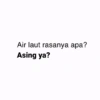
Air laut rasanya apa? Asing ya?
-

Isian roti itu apa sih namanya? Selesai ya?
-

Kalo di belakang truk ada tulis apa ya? Jaga jarak ya?
-
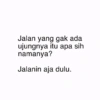
Jalan yang gak ada ujungnya itu apa sih namanya? Jalanin aja dulu.
Download and Install on WhatsApp
The Sticker Maker app is necessary to install this sticker pack on your WhatsApp. If you don't have it, download it from: Google Play Store and App Store. Once you have it on your phone, follow these instructions:
- Download the sticker file we provide below (it has the .wastickers extension). Locate the downloaded file on your mobile and tap it. Your device will ask you which application you want to open it with; select Sticker Maker. The app will automatically recognize the file as a new sticker pack.
- Once you see the pack inside Sticker Maker, just press the button that says "Add to My Library", then "Add to WhatsApp" and that's it! Your new stickers will be available for use in all your WhatsApp conversations.
Installation on WhatsApp with Sticker.ly
An easy way to add this pack is through the Sticker.ly app. If you don't have it yet, download it from: Google Play Store and App Store. Then choose one of these two simple methods:
- With Direct Link: Simply tap this link to the pack LP68H2. If you have Sticker.ly installed, you will immediately see the stickers in the app.
- Using the Pack Code: If you prefer, you can copy the "pack code" by tapping here: and paste it into the search bar inside the Sticker.ly app.
Once inside Sticker.ly, confirm the action by tapping "Add to WhatsApp" and the stickers will be instantly sent to your WhatsApp app.
Use on Telegram
For Telegram users, installing a sticker pack is a native and extremely simple process. Just follow this link that will take you to Telegram: stickerly_LP68H2_by_stickerly_official_bot. When the app opens, you will instantly see the pack and can add it to your library, without the need for third-party apps.