Anomali trend tiktok
📦 The 'Anomali trend tiktok' pack includes 25 stickers ready to share. Free download to install on WhatsApp. These stickers contain phrases in Indonesian.
-
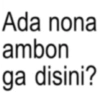
Ada nona ambon ga disini?
-

Nona ambon picapica
-
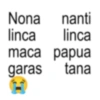
Nona nanti linca linca maca papua garas tana
-
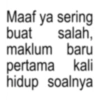
Maaf ya sering salah, buat maklum baru pertama kali hidup soalnya
-
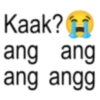
Kaak? ang ang ang angg
-
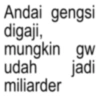
Andai gengsi digaji, mungkin gw udah jadi miliarder
-
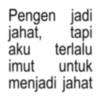
Pengen jadi jahat, tapi aku terlalu imut untuk menjadi jahat
-

Hidup ini memang banyak plot twistnya
-
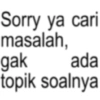
Sorry ya cari masalah, gak ada topik soalnya
-
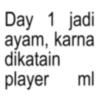
Day 1 jadi ayam, karna dikatain player ml
-
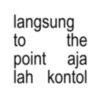
langsung to the point aja lah kontol
-

najis drama bgt cuih
-
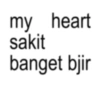
my heart sakit banget bjir
-

emang kampret lu manusia
-

gua diem aja salah anj
-

laki-laki bangsat
-
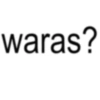
waras?
-
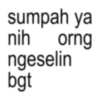
sumpah ya nih orng ngeselin bgt
-

gausah ngelunjak monyet
-

EH YA AMPUN
-
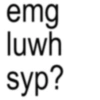
emg luwh syp?
-

minimal jadian dulu
-
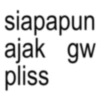
siapapun ajak gw pliss
-
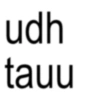
udh tauu
-
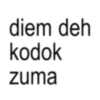
diem deh kodok zuma
Download and Install on WhatsApp
The Sticker Maker app is necessary to install this sticker pack on your WhatsApp. If you don't have it, download it from: Google Play Store and App Store. Once you have it on your phone, follow these instructions:
- Download the sticker file we provide below (it has the .wastickers extension). Locate the downloaded file on your mobile and tap it. Your device will ask you which application you want to open it with; select Sticker Maker. The app will automatically recognize the file as a new sticker pack.
- Once you see the pack inside Sticker Maker, just press the button that says "Add to My Library", then "Add to WhatsApp" and that's it! Your new stickers will be available for use in all your WhatsApp conversations.
Installation on WhatsApp with Sticker.ly
An easy way to add this pack is through the Sticker.ly app. If you don't have it yet, download it from: Google Play Store and App Store. Then choose one of these two simple methods:
- With Direct Link: Simply tap this link to the pack Y4HC8K. If you have Sticker.ly installed, you will immediately see the stickers in the app.
- Using the Pack Code: If you prefer, you can copy the "pack code" by tapping here: and paste it into the search bar inside the Sticker.ly app.
Once inside Sticker.ly, confirm the action by tapping "Add to WhatsApp" and the stickers will be instantly sent to your WhatsApp app.