Sad Cats
📦 Adorable cats and kittens with heartbreaking sad faces and teary eyes. Express melancholy, loneliness or a bad mood with these cute felines. Use when feeling sad, lonely, disappointed or wanting to share a cute melancholic vibe in chat. The 'Sad Cats' pack includes 15 stickers high quality. Free download to install on WhatsApp.
-

😿 Sad Gray Kitten
Fluffy gray kitten with huge round eyes and a pink nose staring sadly at you. When you feel tiny, overwhelmed and just want someone to notice you.
-

🥺 Pleading White Cat
White cat with droopy sad eyes and paws resting forward, looking downcast. Begging for attention, comfort, or a second chance without saying a word.
-

😿 Tiny Gray Sadness
Small gray tabby kitten sitting with paws together, looking down in quiet sadness. Quietly processing a bad day, feeling small and a bit hopeless.
-
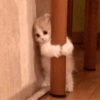
🤗 Hugging the Pole
Tiny cream kitten hugging a brown table leg and peeking out with big eyes. Needing a hug, hiding from the world, or clinging to something for comfort.
-

😔 Looking Away
White kitten sitting on a dark surface, head turned down and away in quiet gloom. Not ready to talk, avoiding eye contact, or lost in a sad thought.
-


😭 Teary White Face
Close-up of a white cat with shiny wet eyes and slightly open mouth, heartbreak on display. On the verge of tears, devastated, or showing raw emotional pain.
-

👀 Peeking Orange Cat
Orange tabby peeking from behind a wooden door with huge round pleading eyes. Checking if it's safe, hoping you'll come back, or shyly asking for company.
-

🥺 Tiny Couch Kitten
Tiny orange-and-white kitten barely peeking over a gray couch with a solemn face. Feeling too small for the world, hiding, or waiting for someone to find you.
-
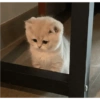
😿 Under the Table
Cream kitten sitting under a black table frame, looking down with a gloomy expression. Withdrawing from everything, hiding under furniture, or feeling left out.
-

🥺 Watery Tabby Eyes
Tabby cat resting its head on green fabric, looking up with glossy, watery eyes. Exhausted by sadness, seeking comfort, or giving the most pleading look.
-

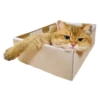
📦 Sad Box Kitten
Gray-and-white kitten peeking from a cardboard box with a droopy, miserable face. Feeling boxed in, stuck, or sending a 'please get me out of here' energy.
-

🛏️ Cozy Sad Ginger
Orange-and-white cat lying among blankets, staring with big dark pleading eyes. Wanting company in bed, feeling lonely even when cozy, or a quiet plea.
-

😿 Pressed on Glass
White cat's face pressed against glass or plastic, distorted and looking utterly dejected. Feeling trapped, shut out, or watching life happen from the other side.
-

😪 Droopy Golden Cat
Golden cat lying on blue checkered cloth, eyes half-lidded and deeply sad. Too tired to even lift your head, drained, or quietly giving up for the day.
-

🪟 Windowsill Stare
Orange cat leaning on a white windowsill, round eyes locked on you with quiet longing. Waiting by the window, missing someone, or hoping you'll stay a little longer.
Download and Install on WhatsApp
The Sticker Maker app is necessary to install this sticker pack on your WhatsApp. If you don't have it, download it from: Google Play Store and App Store. Once you have it on your phone, follow these instructions:
- Download the sticker file we provide below (it has the .wastickers extension). Locate the downloaded file on your mobile and tap it. Your device will ask you which application you want to open it with; select Sticker Maker. The app will automatically recognize the file as a new sticker pack.
- Once you see the pack inside Sticker Maker, just press the button that says "Add to My Library", then "Add to WhatsApp" and that's it! Your new stickers will be available for use in all your WhatsApp conversations.
Installation on WhatsApp with Sticker.ly
An easy way to add this pack is through the Sticker.ly app. If you don't have it yet, download it from: Google Play Store and App Store. Then choose one of these two simple methods:
- With Direct Link: Simply tap this link to the pack Q5QXEW. If you have Sticker.ly installed, you will immediately see the stickers in the app.
- Using the Pack Code: If you prefer, you can copy the "pack code" by tapping here: and paste it into the search bar inside the Sticker.ly app.
Once inside Sticker.ly, confirm the action by tapping "Add to WhatsApp" and the stickers will be instantly sent to your WhatsApp app.
Use on Telegram
For Telegram users, installing a sticker pack is a native and extremely simple process. Just follow this link that will take you to Telegram: stickerly_Q5QXEW_by_stickerly_official_bot. When the app opens, you will instantly see the pack and can add it to your library, without the need for third-party apps.