Bucin anomali
📦 The 'Bucin anomali' pack includes 23 stickers for any conversation. Free download to install on WhatsApp.
-
hhh anomali jenis apa lini
-

mau makan pake apa? kecap atau kecup?
-
LOVE YOU PACAR AKU
-

seriusan seorang princess diginiin?
-
km suka ak gsi aslinyh
-

busyet, bisa gitu??
-

Sayangku, cintaku, belahan jiwaku saranghae wo ai ni aa ni^
-
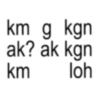
km g kgn ak? ak kgn km loh
-

pilih diem apa gue sayang
-
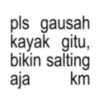
pls gausah kayak gitu, bikin salting aja km
-
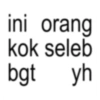
ini orang kok seleb bgt yh
-

i love him so much :3
-
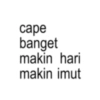
cape banget makin hari makin imut
-

hug me, kiss me, love me
-
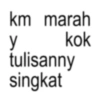
km marah kok y tulisanny singkat
-

i love you (pacar ak only)
-
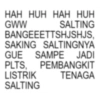
HAH HUH HAH HUH GWW SALTING BANGEEETTSHJSHJS, SAKING SALTINGNYA GUE SAMPE JADI PLTS, PEMBANGKIT LISTRIK TENAGA SALTING
-
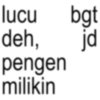
jd lucu bgt deh, pengen milikin
-

pap gantengnya mana?
-
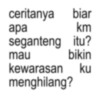
ceritanya biar apa km mau seganteng itu? bikin kewarasan ku menghilang?
-
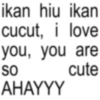
ikan hiu ikan cucut, i love you, you are SO cute AHAYYY
-
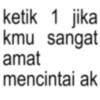
ketik 1 jika kmu sangat amat mencintai ak
-

besok kita menikah di monas
Download and Install on WhatsApp
The Sticker Maker app is necessary to install this sticker pack on your WhatsApp. If you don't have it, download it from: Google Play Store and App Store. Once you have it on your phone, follow these instructions:
- Download the sticker file we provide below (it has the .wastickers extension). Locate the downloaded file on your mobile and tap it. Your device will ask you which application you want to open it with; select Sticker Maker. The app will automatically recognize the file as a new sticker pack.
- Once you see the pack inside Sticker Maker, just press the button that says "Add to My Library", then "Add to WhatsApp" and that's it! Your new stickers will be available for use in all your WhatsApp conversations.
Installation on WhatsApp with Sticker.ly
An easy way to add this pack is through the Sticker.ly app. If you don't have it yet, download it from: Google Play Store and App Store. Then choose one of these two simple methods:
- With Direct Link: Simply tap this link to the pack GEBYT0. If you have Sticker.ly installed, you will immediately see the stickers in the app.
- Using the Pack Code: If you prefer, you can copy the "pack code" by tapping here: and paste it into the search bar inside the Sticker.ly app.
Once inside Sticker.ly, confirm the action by tapping "Add to WhatsApp" and the stickers will be instantly sent to your WhatsApp app.
Use on Telegram
For Telegram users, installing a sticker pack is a native and extremely simple process. Just follow this link that will take you to Telegram: stickerly_GEBYT0_by_stickerly_official_bot. When the app opens, you will instantly see the pack and can add it to your library, without the need for third-party apps.