

Stiker random twitter
📦 O pacote 'Stiker random twitter' inclui 17 stickers imprescindíveis. Transferência gratuita para instalar no WhatsApp. Estes stickers contêm frases em Malaio.
-

iam @Moohd_Ilham Kadang udah berusaha jadi orang yg kalem, tapi ada aja manusia goblok yg mancing ketoxican yg telah merasuk di relung jiwa ini. Translate Tweet 10:31 PM 5/31/19 Twitter for Android .
-

-

cheesecake @akarrr20 Membalas @JulianFadliii Pernah kesemutan ga kakinya? Itu tuh roh roh semut yg pernah lu ijekin sampe mati lg bales dendam.
-

Tweet haechan ✔ @haechanganteng makan tebu pake nasi ini hari minggu yaudah ngasih tau doang si 7:02 PM 15 Jul 18 88,9K Retweets 84,0K Likes 27 go
-

raheennnn med Morning @raprivvv d s bahaya ni cowo d 23.14 20/11/21 Twitter for iPhone du . Mary Tweet 17 ↑, raheennnn @raprivvv-11s Replying to @raprivvv terosss aja acak acak hati gua terosss 17
-

m. Tweet @eatempathy kalem ga boleh keliatan salting 22.16 23/02/22
-

Tweet haechan @haesayangku Dulu waktu kecil cita-cita gue pengen jadi dokter. Sekarang cita-cita gue jadi apa aja dah yang penting banyak duit. :') 10:16 PM 25 Apr 19 6.588 Retweets 7.412 Likes 17
-

Tweet June @Juneidiiiii udah dichat panjang kali lebar. nyari topik pembicaraan ampe ngeden. tapi cumal dibalas oke. lu kira gue rcti. 11:28 PM 28 Apr 19 6.980 Retweets 7.741 Likes go
-

Dafi @Mhdafi Kalo kamu bales "wkwk" Lantas aku harus bales apa? Tolonglah kerjasamanya >
-

iyasayang @andrilixx Lo jahat gue juga jahat dong, lo kira sinetron indosiar, lo jahat gua nya nangis.
-

chenle @zhongchenle kamu pilih stay at home atau stay with me? 09:34 PM 30 Mar 20 Twitter for Android 990,4M Retweets 985,1M Likes 27 go
-

Tweet DOYOUNG ✔ @putraduyung dua tiga ayam penyet muka lu kayak monyet 11:57 AM 02 Nov 19 Twitter for Android 928,6M Retweets 917,6M Likes 27
-
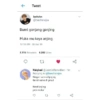
Tweet leehchn @haechanajaa Bumi gonjang ganjing Muka mu kaya anjing 10:18 AM 30 Jan 19 3.115 Retweets 6.282 Likes 27 Naiqbaal @JaeminRamadhan 1m Replying to @haechanajaa Ringan sama dijinjing Berat sama di pikul Kesel anjing pen mukul Ul y
-

jaenab @pacarminyoongi Membalas @tubirfess Jalan jalan ke Jakarta Pusat Halah bangsat Terjemahkan Tweet 22:50 20 Sep 18
-

Tweet seungwoo @han_swoo nge p boleh, nge w jangan 08:43 AM 14 Jul 19 Twitter for Android 11K Retweets 10.1K Likes 27 go
-

Tweet Luhan @luluexo kamu move onnya cepet amat, pake aplikasi apa?? 7:42 PM 08 Sep 19 9.800 Retweets 9.669 Likes
-

feby → @ayayfeby lo emosi gak sih? 07.38 12/04/22 27 Tweet feby @ayayfeby.16s Replying to @ayayfeby GUE EMOSI BANGET JANCOK 12 >
Transferir e instalar no WhatsApp
A aplicação Sticker Maker é necessária para instalar este pacote de stickers no teu WhatsApp. Se ainda não a tens, transfere-a a partir de: Google Play Store e App Store. Quando a tiveres no telemóvel, segue estas instruções:
- Transfere o ficheiro de stickers que disponibilizamos abaixo (tem a extensão .wastickers). Localiza o ficheiro transferido no teu telemóvel e toca nele. O dispositivo vai perguntar-te com que aplicação o queres abrir; seleciona Sticker Maker. A aplicação reconhece automaticamente o ficheiro como um novo pacote de stickers.
- Quando vires o pacote dentro do Sticker Maker, basta carregares no botão "Adicionar à minha biblioteca", depois em "Adicionar ao WhatsApp" e já está! Os teus novos stickers ficam disponíveis em todas as tuas conversas do WhatsApp.
Instalação no WhatsApp com o Sticker.ly
Uma forma fácil de adicionar este pacote é através da aplicação Sticker.ly. Se ainda não a tens, transfere-a a partir de: Google Play Store e App Store. Depois, escolhe um destes dois métodos simples:
- Com ligação direta: Basta tocares nesta ligação para o pacote UUGTKZ. Se tiveres o Sticker.ly instalado, vês logo os stickers na aplicação.
- Com o código do pacote: Se preferires, podes copiar o "código do pacote" tocando aqui: e colá-lo na barra de pesquisa da aplicação Sticker.ly.
Já dentro do Sticker.ly, confirma a ação tocando em "Adicionar ao WhatsApp" e os stickers são enviados de imediato para a tua aplicação WhatsApp.
Usar no Telegram
Para quem usa o Telegram, instalar um pacote de stickers é um processo nativo e muito simples. Basta seguires esta ligação, que te leva ao Telegram: stickerly_UUGTKZ_by_stickerly_official_bot. Quando a aplicação abrir, vês logo o pacote e podes adicioná-lo à tua biblioteca, sem precisares de aplicações de terceiros.























