

Sketch Reacts
📦 O pack 'Sketch Reacts' tem 30 figurinhas bem variadas. Baixe grátis e instale no WhatsApp e Telegram.
-

Imfao lol catcrumb
-
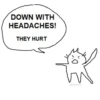
DOWN WITH HEADACHES! THEY HURT catcrumb
-
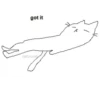
got it * catcrumb
-
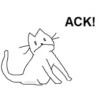
catcrumb ACK!
-

girl idk what the issue is but there is one and i can feel it
-
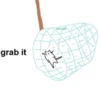
grab it catcrumb
-

HELL YES I AM catcrumb HELL YES I AM JUST SITTING HERE
-

#girl #what #catcrumb #girlies #huh
-

DIPLOMA FOR LITERATE CATS
-
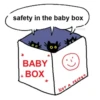
safety in the baby box BABY BOX + NOT A SECRET catcrumb
-

A VICIOUS SWIPE? BITCH?
-

WHACK IT ALL!!!
-

catcrumb
-
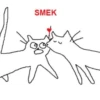
SMEK
-

WOE YE catcrumb FOR I TRESPASS FORTH UPON YE
-

PEEBA BABBA
-

AAAAAAAAAA AAAAAAAA AAAAAAA AAAA tak tak tak tak tak tak catcrumb
-

im relaxing. why am i not relaxed anymore. go back. catcrumb
-

i need to be in bed now. catcrumb
-

NICE TO ME......
-

weep
-
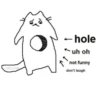
catcrumb -hole ← uh oh not funny don't laugh
-

OMG catcrumb WELL WAH WAH WOO TO YOU TOO
-

we OH TO BE WE
-

YOU CAN DO IT!! BITCHIE!!
-

peep
-

AND THAT'S THE WORST PART! 1
-

party til i shit catcrumb
-

CATCRUB YOU LIKE ME SO MUCH VERY VERY MUCH
-
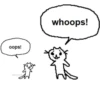
oops! catcrumb whoops!
Baixar e Instalar no WhatsApp
O aplicativo Sticker Maker é necessário para instalar este pacote de stickers no seu WhatsApp. Se você ainda não tem, baixe em: Google Play Store e App Store. Com o app instalado no celular, siga estas instruções:
- Baixe o arquivo de stickers que fornecemos abaixo (tem a extensão .wastickers). Localize o arquivo baixado no seu celular e toque nele. Seu dispositivo perguntará com qual aplicativo você deseja abri-lo; selecione Sticker Maker. O aplicativo reconhecerá automaticamente o arquivo como um novo pacote de stickers.
- Quando o pacote aparecer no Sticker Maker, é só tocar no botão "Adicionar à minha biblioteca" e depois em "Adicionar ao WhatsApp", e pronto! Seus novos stickers ficam disponíveis em todas as suas conversas do WhatsApp.
Usar no Telegram
Para quem usa o Telegram, instalar um pacote de stickers é nativo e muito simples. É só abrir este link, que leva você direto ao Telegram: Catcrumb2. Quando o aplicativo abrir, você já vê o pacote e pode adicioná-lo à sua biblioteca, sem precisar de aplicativos de terceiros.























