

Ketika malas ngetik
📦 'Ketika malas ngetik' pack mein 18 stickers hain high quality mein. WhatsApp par install karne ke liye free download.
-
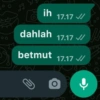
OC ih dahlah betmut U 17.17 ✓/ 17.17 // 17.17 // ļ JJ
-
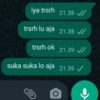
iya trsrh 21.38 ✔ trsrh lu aja 21.38 ✔ trsrh ok suka suka lo aja U 21.39 ✓/ 21.39 ✓ O
-
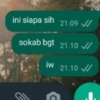
ini siapa sih 21.09 ✔ sokab bgt 21.10 iw 21.10 ✓
-
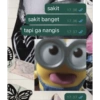
sakit sakit banget tapi ga nangis 17.36 ✔ 17.36 17.37 17.37 ✔
-
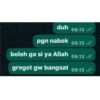
duh 09.12 // pgn nabok 09.12✓/ boleh ga si ya Allah 09.12 / greget gw bangsat 09.12 /
-
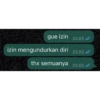
gue izin 23.02/ izin mengundurkan diri 23.02 thx semuanya 23.02
-
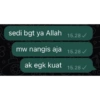
sedi bgt ya Allah 3 mw nangis aja ak egk kuat 15.28 ✓ 15.28 ✔ 15.28✓
-

GUA LAGI MARAH 22.34 MARAH BGT 22.34 ✓/ KESEL 22.34 AJG 22.34
-
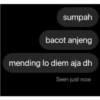
sumpah bacot anjeng mending lo diem aja dh Seen just now
-
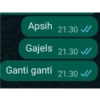
Apsih 21.30 Gajels 21.30 ✓/ Ganti ganti 21.30 ✓
-
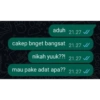
aduh 21.27 ✔ cakep bnget bangsat 21.27 nikah yuuk??! 21.27 ✓ mau pake adat apa?? 21.27 C
-
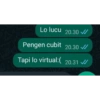
Lo lucu 20.30 ✓ Pengen cubit 20.30 ✓/ Tapi lo virtual:( 20.31 ✓
-

chat aku, atau aku bom rumah mu?
-

bang elo g kangen gueh? >>
-

DIAM !!! @nnn AKU SEDANG ANGWY SAMA KM.
-

k ne eh enggak, bercnda yaAllah maapin aku
-

WLEEEEEEEEE
-

рарераре sngt tdk sopan
WhatsApp par download aur install karein
Is sticker pack ko apne WhatsApp par install karne ke liye Sticker Maker app zaroori hai. Agar aapke paas nahi hai, to yahan se download karein: Google Play Store aur App Store. Phone mein app aa jaane ke baad ye steps follow karein:
- Neeche di gayi sticker file download karein (iska extension .wastickers hai). Download hui file ko apne mobile mein dhoondhein aur us par tap karein. Aapka phone poochega ki ise kis app se kholna hai; Sticker Maker chunein. App is file ko automatically naye sticker pack ke roop mein pehchaan lega.
- Jab pack Sticker Maker mein dikh jaye, to "Meri library mein add karein" wala button dabayein, phir "WhatsApp mein add karein", bas ho gaya! Aapke naye stickers aapki saari WhatsApp chats mein use ke liye ready honge.
Sticker.ly se WhatsApp par install karein
Is pack ko add karne ka ek aasan tareeka hai Sticker.ly app. Agar aapke paas abhi tak nahi hai, to yahan se download karein: Google Play Store aur App Store. Phir in do aasan tareekon mein se ek chunein:
- Direct link se: Bas pack ke is link par tap karein: VWT4PN. Agar aapke paas Sticker.ly install hai, to stickers turant app mein dikh jayenge.
- Pack code se: Chahein to yahan tap karke "pack code" copy karein: aur use Sticker.ly app ke search bar mein paste kar dein.
Sticker.ly mein pahunchne ke baad "WhatsApp mein add karein" par tap karke confirm karein, aur stickers turant aapke WhatsApp app mein bhej diye jayenge.
Telegram par use karein
Telegram users ke liye sticker pack install karna bilkul aasan hai, ye feature app mein hi hai. Bas is link par jaayein, jo aapko Telegram par le jayega: stickerly_VWT4PN_by_stickerly_official_bot. App khulte hi aapko pack dikh jayega aur aap use apni library mein add kar sakte hain, kisi doosre app ki zaroorat nahi.























