Chill Guy
📦 'Chill Guy' pack mein 25 stickers hain jo har chat mein chahiye. WhatsApp par install karne ke liye free download. In stickers ke phrases English mein hain.
-

-

-

BULLM w انشال contr Z تال
-

-

Chill bro!
-

BOOL Lack of sleep, night shift, oncall But ur a chill guy (Jk, crying inside)
-

U found that u missed ur laptop after reaching ofc Butura chill guy
-

U know u workur a$$ off and not get paid enough but ura chill guy
-

U hate ur work and couldn't do anything abt it, but u just chill at ur ofc
-

Uplanned to switch company long back ago, but ur still chilling at ur ofc
-

They rip your energy and soul out of you. But u are a chill guy
-

When ur frd tests ur patience, but u ra chill guy
-

Ok
-

Tell me
-
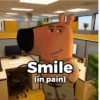
Smile (in pain)
-

-

-
-

-

-

-

-

-

-

WhatsApp par download aur install karein
Is sticker pack ko apne WhatsApp par install karne ke liye Sticker Maker app zaroori hai. Agar aapke paas nahi hai, to yahan se download karein: Google Play Store aur App Store. Phone mein app aa jaane ke baad ye steps follow karein:
- Neeche di gayi sticker file download karein (iska extension .wastickers hai). Download hui file ko apne mobile mein dhoondhein aur us par tap karein. Aapka phone poochega ki ise kis app se kholna hai; Sticker Maker chunein. App is file ko automatically naye sticker pack ke roop mein pehchaan lega.
- Jab pack Sticker Maker mein dikh jaye, to "Meri library mein add karein" wala button dabayein, phir "WhatsApp mein add karein", bas ho gaya! Aapke naye stickers aapki saari WhatsApp chats mein use ke liye ready honge.
Sticker.ly se WhatsApp par install karein
Is pack ko add karne ka ek aasan tareeka hai Sticker.ly app. Agar aapke paas abhi tak nahi hai, to yahan se download karein: Google Play Store aur App Store. Phir in do aasan tareekon mein se ek chunein:
- Direct link se: Bas pack ke is link par tap karein: DNBATV. Agar aapke paas Sticker.ly install hai, to stickers turant app mein dikh jayenge.
- Pack code se: Chahein to yahan tap karke "pack code" copy karein: aur use Sticker.ly app ke search bar mein paste kar dein.
Sticker.ly mein pahunchne ke baad "WhatsApp mein add karein" par tap karke confirm karein, aur stickers turant aapke WhatsApp app mein bhej diye jayenge.
Telegram par use karein
Telegram users ke liye sticker pack install karna bilkul aasan hai, ye feature app mein hi hai. Bas is link par jaayein, jo aapko Telegram par le jayega: stickerly_DNBATV_by_stickerly_official_bot. App khulte hi aapko pack dikh jayega aur aap use apni library mein add kar sakte hain, kisi doosre app ki zaroorat nahi.