Sad
📦 A collection of stickers conveying sadness through different characters and animals. These stickers are designed to be used in moments of sadness, empathy, or when seeking comfort. 'Sad' pack mein 15 stickers hain jo har chat mein chahiye. WhatsApp par install karne ke liye free download.
-

🧽 Pixelated Sad Sponge
A pixelated version of a sad-looking sponge character. Used for expressing simple, digital-age sadness.
-

😭 Crying Blob
A small blob with tears streaming down its face. Expresses extreme sadness or heartbreak.
-

🙀 Sad Cat Resting
A sad cat resting with a downcast expression. For moments of weariness and sadness.
-

😿 Crying Cat
A cat with teary eyes looking at a phone. Suitable for feelings of sadness or loneliness.
-
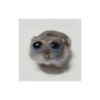
🐹 Crying Hamster
A small hamster with tears in its eyes, looking sad. Expresses feelings of vulnerability or sadness.
-

😾 Kitten in Box
A small kitten with a sad expression, sitting in a box. Best for expressing isolation or solitude.
-

😿 Tearful Cat
A cat with tears streaming down its face, covered in a blanket. Ideal for expressing comfort in sadness.
-

☹️ Sad Green Puppet
A green puppet sitting down, looking sad and contemplative. Ideal for moments of reflection or introspection.
-

😭 Crying Face Holding Head
A crying emoji face with hands holding its head, expressing despair. For moments of intense frustration or despair.
-

🤡 Sad Clown Puppet
A clown puppet with a sad face, lying down. Suitable for expressing sorrow or letdown.
-

😢 Sad Face Emoji
A sad yellow emoji face with big watery eyes. Used to express sadness or disappointment.
-

😔 Sad Blue Character
A blue character with a sad expression and glasses. Useful for expressing deep sadness or empathy.
-

🐭 Sad Mouse
A cartoon mouse with a sad expression, clasping its paws. Used for times of regret or fear.
-

😔 Sad in Bed
A character with large eyes lying in bed, looking sad. Used when feeling overwhelmed or down.
-

🙁 Sad Minion
A Minion character looking sad in a dark setting. Used for expressing sadness in a humorous way.
WhatsApp par download aur install karein
Is sticker pack ko apne WhatsApp par install karne ke liye Sticker Maker app zaroori hai. Agar aapke paas nahi hai, to yahan se download karein: Google Play Store aur App Store. Phone mein app aa jaane ke baad ye steps follow karein:
- Neeche di gayi sticker file download karein (iska extension .wastickers hai). Download hui file ko apne mobile mein dhoondhein aur us par tap karein. Aapka phone poochega ki ise kis app se kholna hai; Sticker Maker chunein. App is file ko automatically naye sticker pack ke roop mein pehchaan lega.
- Jab pack Sticker Maker mein dikh jaye, to "Meri library mein add karein" wala button dabayein, phir "WhatsApp mein add karein", bas ho gaya! Aapke naye stickers aapki saari WhatsApp chats mein use ke liye ready honge.
Sticker.ly se WhatsApp par install karein
Is pack ko add karne ka ek aasan tareeka hai Sticker.ly app. Agar aapke paas abhi tak nahi hai, to yahan se download karein: Google Play Store aur App Store. Phir in do aasan tareekon mein se ek chunein:
- Direct link se: Bas pack ke is link par tap karein: 7A3LZH. Agar aapke paas Sticker.ly install hai, to stickers turant app mein dikh jayenge.
- Pack code se: Chahein to yahan tap karke "pack code" copy karein: aur use Sticker.ly app ke search bar mein paste kar dein.
Sticker.ly mein pahunchne ke baad "WhatsApp mein add karein" par tap karke confirm karein, aur stickers turant aapke WhatsApp app mein bhej diye jayenge.
Telegram par use karein
Telegram users ke liye sticker pack install karna bilkul aasan hai, ye feature app mein hi hai. Bas is link par jaayein, jo aapko Telegram par le jayega: stickerly_7A3LZH_by_stickerly_official_bot. App khulte hi aapko pack dikh jayega aur aap use apni library mein add kar sakte hain, kisi doosre app ki zaroorat nahi.