

Funny Reactions
📦 Hilarious faces and memes for every chat mood Use these when you want to react with humor in any conversation 'Funny Reactions' pack mein 15 stickers hain share karne ke liye ready. WhatsApp par install karne ke liye free download.
-
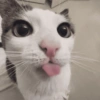
😛 Derpy Cat Blep
A wide-eyed cat sticking its pink tongue out in a silly way When something is goofy, awkward, or you just feel silly
-

🥺 Judgy Sad Cat
An orange cat with big glossy eyes looking disappointed or pleading When you're disappointed, guilt-tripping, or giving puppy eyes
-

🤓 Distinguished Doggo
A golden retriever wearing glasses and a fake mustache For smart remarks, fake seriousness, or a classy joke
-

😁 Warm Bright Smile
A woman with braids flashing a big, genuine, friendly smile For a kind hello, good news, or just being happy for someone
-

🤦 Facepalm Kid
A little boy sitting down covering his entire face with both hands For secondhand embarrassment, cringe, or I can't watch this
-

😩 Exhausted Forehead Rub
A man with eyes closed rubbing his forehead in tired frustration When you're done, stressed, or can't deal with this anymore
-

📱 Checking the Phone
A man in a car glancing at his phone with a knowing look When you just saw the receipts, the tea, or a suspicious message
-

😱 Dramatic Shock Scream
A person with mouth wide open and hand on their head in total shock When something wild happens and you need a loud reaction
-

😭 Fountain of Tears
A person splashing water on their face as if crying rivers When you're dramatically sad, overwhelmed, or need a reset
-

🖕 Yoshi Flips Off
Yoshi from Mario Kart raising his middle finger with a smile When you want a playful or blunt nope or deal with it
-

😊 Cheerful Thomas
A classic train character with a warm, friendly smile Perfect for a friendly hello or spreading good vibes
-

😱 Shocked Patrick
Patrick Star with huge eyes and mouth wide open in total surprise Drop this when news hits you like a truck or something is unbelievable
-

😴 Exhausted SpongeBob
SpongeBob with droopy half-closed eyes looking completely drained After a long day, Monday mood, or when you have zero energy
-

🤩 Hyped Mike Wazowski
One-eyed green monster running with a huge excited grin When you're hyped, rushing, or something exciting is happening
-

😡 Phone Scream
An animated woman yelling furiously into a telephone receiver When you're furious on a call or ranting about something
WhatsApp par download aur install karein
Is sticker pack ko apne WhatsApp par install karne ke liye Sticker Maker app zaroori hai. Agar aapke paas nahi hai, to yahan se download karein: Google Play Store aur App Store. Phone mein app aa jaane ke baad ye steps follow karein:
- Neeche di gayi sticker file download karein (iska extension .wastickers hai). Download hui file ko apne mobile mein dhoondhein aur us par tap karein. Aapka phone poochega ki ise kis app se kholna hai; Sticker Maker chunein. App is file ko automatically naye sticker pack ke roop mein pehchaan lega.
- Jab pack Sticker Maker mein dikh jaye, to "Meri library mein add karein" wala button dabayein, phir "WhatsApp mein add karein", bas ho gaya! Aapke naye stickers aapki saari WhatsApp chats mein use ke liye ready honge.
Sticker.ly se WhatsApp par install karein
Is pack ko add karne ka ek aasan tareeka hai Sticker.ly app. Agar aapke paas abhi tak nahi hai, to yahan se download karein: Google Play Store aur App Store. Phir in do aasan tareekon mein se ek chunein:
- Direct link se: Bas pack ke is link par tap karein: ZXQK6N. Agar aapke paas Sticker.ly install hai, to stickers turant app mein dikh jayenge.
- Pack code se: Chahein to yahan tap karke "pack code" copy karein: aur use Sticker.ly app ke search bar mein paste kar dein.
Sticker.ly mein pahunchne ke baad "WhatsApp mein add karein" par tap karke confirm karein, aur stickers turant aapke WhatsApp app mein bhej diye jayenge.
Telegram par use karein
Telegram users ke liye sticker pack install karna bilkul aasan hai, ye feature app mein hi hai. Bas is link par jaayein, jo aapko Telegram par le jayega: stickerly_ZXQK6N_by_stickerly_official_bot. App khulte hi aapko pack dikh jayega aur aap use apni library mein add kar sakte hain, kisi doosre app ki zaroorat nahi.























