Cats for Reactions
📦 A cute cat reaction pack full of expressive faces and playful moods. Use in chats to show surprise, sadness, sass, approval, mischief, and other everyday reactions. 'Cats for Reactions' pack mein 15 stickers hain daily chats ke liye. WhatsApp par install karne ke liye free download.
-

🥱 Yawning Chaos
A cat yawning wildly on a chair, full of energy and drama. Use for morning grogginess, boredom, or loud overreactions.
-

😏 Side-Eye Cat
A white cat giving a suspicious side-eye. Great for skepticism, judgment, or silent disapproval.
-

🥺 Tilting Floof
A fluffy cat tilting its head with a sweet, inquisitive look. Use when you’re curious, confused, or being adorably innocent.
-
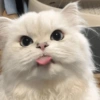
😛 Blep Cat
A fluffy cat sticking out its tongue cutely. For silliness, teasing, or lighthearted nonsense.
-

🐾 Baby Paws
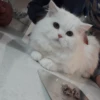
A fluffy white kitten resting its paws on a ledge. For cute waiting, peeking over something, or tiny patience.
-

😎 Cool Cat
A fluffy white cat wearing dark sunglasses with a calm vibe. For confidence, chill vibes, or effortless style.
-

😴 Sleepy Paws
A peaceful kitten dozing under a soft blanket. For naps, goodnight messages, or total exhaustion.
-

😒 Grumpy Cat
A stern cat looking unimpressed and annoyed. Use when you’re annoyed, skeptical, or just not having it.
-
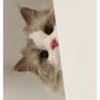
🐱 Peeking Cat
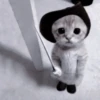
A fluffy cat peeking from behind a surface with curious eyes. Perfect for checking in, lurking, or saying “what’s going on?”
-

🐱 Tiny Meow
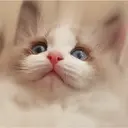
A close-up kitten making a tiny meow face. Use for soft complaints, little greetings, or needy moments.
-

😵 Belly Flop
A fluffy cat lying dramatically on its side. For lazy mode, surrender, or pure chaos.
-

😭 Crying Kitten
A sad kitten with oversized crying tears. Use for hurt feelings, dramatic sadness, or begging.
-

👍 Thumbs Up Cat
A cat giving a confident thumbs-up gesture. For approval, agreement, or “nice one.”
-

😱 Shocked Cat
A cat zooming in with wide eyes and a surprised face. Use for sudden shock, disbelief, or “whoa!”
-

😱 Screaming Cat
A blurred close-up cat yelling with a huge open mouth. For extreme panic, loud complaints, or over-the-top reactions.
WhatsApp par download aur install karein
Is sticker pack ko apne WhatsApp par install karne ke liye Sticker Maker app zaroori hai. Agar aapke paas nahi hai, to yahan se download karein: Google Play Store aur App Store. Phone mein app aa jaane ke baad ye steps follow karein:
- Neeche di gayi sticker file download karein (iska extension .wastickers hai). Download hui file ko apne mobile mein dhoondhein aur us par tap karein. Aapka phone poochega ki ise kis app se kholna hai; Sticker Maker chunein. App is file ko automatically naye sticker pack ke roop mein pehchaan lega.
- Jab pack Sticker Maker mein dikh jaye, to "Meri library mein add karein" wala button dabayein, phir "WhatsApp mein add karein", bas ho gaya! Aapke naye stickers aapki saari WhatsApp chats mein use ke liye ready honge.
Sticker.ly se WhatsApp par install karein
Is pack ko add karne ka ek aasan tareeka hai Sticker.ly app. Agar aapke paas abhi tak nahi hai, to yahan se download karein: Google Play Store aur App Store. Phir in do aasan tareekon mein se ek chunein:
- Direct link se: Bas pack ke is link par tap karein: NMQX6B. Agar aapke paas Sticker.ly install hai, to stickers turant app mein dikh jayenge.
- Pack code se: Chahein to yahan tap karke "pack code" copy karein: aur use Sticker.ly app ke search bar mein paste kar dein.
Sticker.ly mein pahunchne ke baad "WhatsApp mein add karein" par tap karke confirm karein, aur stickers turant aapke WhatsApp app mein bhej diye jayenge.