

Reactions 😹
📦 A playful sticker pack of funny cartoon and animal reaction faces for chatting. Use these expressive reaction stickers in everyday conversations, from surprise to annoyance. 'Reactions 😹' pack mein 9 stickers hain daily chats ke liye. WhatsApp par install karne ke liye free download. In stickers ke phrases Spanish mein hain.
-

😒 Annoyed glare
A dark cartoon duck giving a sharp, annoyed stare. For side-eye moments, suspicion, or low-key irritation.
-

😱 Shocked kitty
A fluffy blue cat with wide eyes and an open mouth, stunned in disbelief. Use when something unexpected or unbelievable happens.
-

😏 Proud pucker
A tiny girl character making a smug little face with huge eyes. For playful self-confidence or cheeky approval.
-
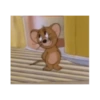
😅 Awkward mouse
A small mouse standing awkwardly with a nervous, unsure expression. For awkward pauses, uncertainty, or embarrassed silence.
-
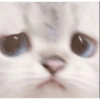
😼 Close-up stare
A white fluffy cat staring straight ahead with a serious, pouty face. Great for intense, suspicious, or judgmental replies.
-

👎 Nope Snoopy
Snoopy sitting with a firm, dismissive finger raise. For saying no, disagreeing, or rejecting an idea.
-

😫 Exhausted pup
Snoopy panting with eyes shut and tongue out, completely worn out. For being tired, overworked, or done with everything.
-

😟 Worried duck
A duck looking uneasy and pointing to itself with a worried face. For self-conscious, uncertain, or “me?” moments.
-

😔 Sad pigtails
A small girl with big eyes and a downcast, disappointed expression. For disappointment, sadness, or a soft “awww” reaction.
WhatsApp par download aur install karein
Is sticker pack ko apne WhatsApp par install karne ke liye Sticker Maker app zaroori hai. Agar aapke paas nahi hai, to yahan se download karein: Google Play Store aur App Store. Phone mein app aa jaane ke baad ye steps follow karein:
- Neeche di gayi sticker file download karein (iska extension .wastickers hai). Download hui file ko apne mobile mein dhoondhein aur us par tap karein. Aapka phone poochega ki ise kis app se kholna hai; Sticker Maker chunein. App is file ko automatically naye sticker pack ke roop mein pehchaan lega.
- Jab pack Sticker Maker mein dikh jaye, to "Meri library mein add karein" wala button dabayein, phir "WhatsApp mein add karein", bas ho gaya! Aapke naye stickers aapki saari WhatsApp chats mein use ke liye ready honge.
Sticker.ly se WhatsApp par install karein
Is pack ko add karne ka ek aasan tareeka hai Sticker.ly app. Agar aapke paas abhi tak nahi hai, to yahan se download karein: Google Play Store aur App Store. Phir in do aasan tareekon mein se ek chunein:
- Direct link se: Bas pack ke is link par tap karein: UDHGW4. Agar aapke paas Sticker.ly install hai, to stickers turant app mein dikh jayenge.
- Pack code se: Chahein to yahan tap karke "pack code" copy karein: aur use Sticker.ly app ke search bar mein paste kar dein.
Sticker.ly mein pahunchne ke baad "WhatsApp mein add karein" par tap karke confirm karein, aur stickers turant aapke WhatsApp app mein bhej diye jayenge.
Telegram par use karein
Telegram users ke liye sticker pack install karna bilkul aasan hai, ye feature app mein hi hai. Bas is link par jaayein, jo aapko Telegram par le jayega: stickerly_UDHGW4_by_stickerly_official_bot. App khulte hi aapko pack dikh jayega aur aap use apni library mein add kar sakte hain, kisi doosre app ki zaroorat nahi.























