Amorcito
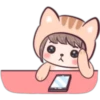
📦 A sticker pack filled with cute and loving characters in heartwarming scenarios. Ideal for expressing love, affection, and cuteness. 'Amorcito' pack mein 23 stickers hain share karne ke liye ready. WhatsApp par install karne ke liye free download.
-

💤❤️😴 Cozy Heart Sleep
Two characters tucked in a heart-shaped bed. Depicts comfort and affection in a relationship.
-

🐰😘💕 Bunny Kissing
Two bunnies kissing affectionately. Used to show love and tenderness.
-

🐼🐻🤗 Panda Hugging Bear
A small panda hugging a larger bear. Expressing warmth and affection.
-

❤️😊 Character with Heart
A cute character holding a big red heart. Used to convey love and care.
-

😍👌❤️ Heart Gesture
A cute character making a heart gesture with fingers. To express love or appreciation.
-

🐰❤️💕 Bunnies in Love
Two bunnies kissing with floating hearts around them. Perfect for romantic expressions.
-

❤️💗😍 Showered with Hearts
A small character surrounded by floating hearts. Used to show overwhelming love or affection.
-

🐰😂💗 Laughing Heart Bunny
A laughing bunny with hearts around. Use when feeling joyful and loved.
-

🐰💕💆 Bunnies Back Massage
A bunny giving a back massage to another bunny with hearts around. Showing care and attention in a relationship.
-

🐰💕😘 Heart-Kissed Bunny
A bunny with a heart on its forehead, mimicking a kiss. To show someone sending love or warmth.
-

📦❤️🐾 Boxed Love
A small animal sitting in a box holding a heart. Perfect for delivering a surprise or declaration of love.
-

🍜❤️👫 Heart Sharing
Two characters sharing a noodle shaped like a heart. Used for expressions of closeness and unity.
-

🐰💋❤️ Heart Blowing Bunny
A bunny blowing heart-shaped kisses. To send love and kisses.
-

🦊📱💑 Animal Couple
A blue and red cartoon animal couple, one using a phone. Depicting a modern and playful relationship.
-

😻😽💕 Cat with Hearts
A cute cat with eyes closed and hearts around. To express affection or adoration.
-

🐻💭❤️ Dreamy Bear
A bear character dreaming and surrounded by hearts. Perfect for sharing daydreams of love.
-

🎅❤️😍 Santa Hat Hearts
A character with heart eyes and a Santa hat, surrounded by hearts. Perfect for Christmas love messages.
-

🐻💘💟 Bear Emitting Hearts
A bear character sending out hearts with its hands. Great for sending love and care.
-

🐰🐻😎💖 Heart Glasses Pair
A bunny and bear wearing heart-shaped glasses together. To show a fun and loving relationship.
-

💨❤️🐻 Blowing a Heart
A character blowing a heart-shaped balloon towards a bear. To send love or affection towards someone.
-

🎁🐻🐰❤️ Gifting Bear and Bunny
A bear giving a gift to a bunny, surrounded by hearts. Ideal for sharing gratitude or celebration.
-

😍💞💕 Heart Stream
A character with a stream of floating hearts. To show overwhelming love and affection.
-
WhatsApp par download aur install karein
Is sticker pack ko apne WhatsApp par install karne ke liye Sticker Maker app zaroori hai. Agar aapke paas nahi hai, to yahan se download karein: Google Play Store aur App Store. Phone mein app aa jaane ke baad ye steps follow karein:
- Neeche di gayi sticker file download karein (iska extension .wastickers hai). Download hui file ko apne mobile mein dhoondhein aur us par tap karein. Aapka phone poochega ki ise kis app se kholna hai; Sticker Maker chunein. App is file ko automatically naye sticker pack ke roop mein pehchaan lega.
- Jab pack Sticker Maker mein dikh jaye, to "Meri library mein add karein" wala button dabayein, phir "WhatsApp mein add karein", bas ho gaya! Aapke naye stickers aapki saari WhatsApp chats mein use ke liye ready honge.
Sticker.ly se WhatsApp par install karein
Is pack ko add karne ka ek aasan tareeka hai Sticker.ly app. Agar aapke paas abhi tak nahi hai, to yahan se download karein: Google Play Store aur App Store. Phir in do aasan tareekon mein se ek chunein:
- Direct link se: Bas pack ke is link par tap karein: RK6XWS. Agar aapke paas Sticker.ly install hai, to stickers turant app mein dikh jayenge.
- Pack code se: Chahein to yahan tap karke "pack code" copy karein: aur use Sticker.ly app ke search bar mein paste kar dein.
Sticker.ly mein pahunchne ke baad "WhatsApp mein add karein" par tap karke confirm karein, aur stickers turant aapke WhatsApp app mein bhej diye jayenge.