

Kitten Mix
📦 A delightful collection of quirky and adorable cat stickers perfect for expressing a range of playful, sassy, and emotive moods. Use this pack to add humor and charm to your conversations with various cat expressions. 'Kitten Mix' pack mein 15 stickers hain jo install karne mein aasan hain. WhatsApp par install karne ke liye free download.
-
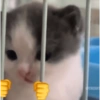
🚔 Prisoner Kitten
A kitten behind bars with a pouty face and fist gripping emoji. Use when feeling trapped or constrained.
-

😮 Surprised Cat
A cat with a wide-eyed, surprised expression. Perfect for unexpected news or shocking revelations.
-

🎧 Gaming Cat with Soda
A cat wearing headphones, drinking soda, with a gaming screen in the background. Great for gaming conversations or relaxing vibes.
-

🎧 Cozy Cat with Headphones
A cat comfortably resting with headphones over its body. Perfect for relaxing or chilling conversations.
-

😢 Sad Cat With Blanket
A sad-looking cat lying down with a blanket partially covering it. Perfect for moments of sadness or comfort.
-

📚 Studious Cat
A cat sitting at a table with a book open in front of it, looking engaged. Use when studying or focusing on learning.
-
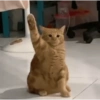
👋 Saluting Cat
A cat sitting upright with one paw raised in a salute gesture. Use to convey respect or a greeting.
-
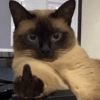
🖕 Sassy Cat Middle Finger
A cat showing its middle finger in a sassy manner. Ideal for expressing defiance or sassy mood.
-

😻 Adorable Kitten
A cute, fluffy kitten with a happy face. Use when sharing something cute or uplifting.
-

👊 Perfect for a friendly greeting or congratulating someone.
-

😾 Angry Kitty
A kitten with a very angry expression, staring ahead. Use to express anger or frustration.
-

😱 Shocked Cat Face
A cat with wide open eyes and mouth, looking very surprised. Use when you're shocked or can't believe something.
-

👅
-

😕 Confused Cat
A cat with a confused expression, eyes wide open. Use when puzzled or unsure about something.
-

🐸 Funny Frog Hat Cat
A cat wearing a yellow frog hat with big googly eyes. Use when feeling silly or playful.
WhatsApp par download aur install karein
Is sticker pack ko apne WhatsApp par install karne ke liye Sticker Maker app zaroori hai. Agar aapke paas nahi hai, to yahan se download karein: Google Play Store aur App Store. Phone mein app aa jaane ke baad ye steps follow karein:
- Neeche di gayi sticker file download karein (iska extension .wastickers hai). Download hui file ko apne mobile mein dhoondhein aur us par tap karein. Aapka phone poochega ki ise kis app se kholna hai; Sticker Maker chunein. App is file ko automatically naye sticker pack ke roop mein pehchaan lega.
- Jab pack Sticker Maker mein dikh jaye, to "Meri library mein add karein" wala button dabayein, phir "WhatsApp mein add karein", bas ho gaya! Aapke naye stickers aapki saari WhatsApp chats mein use ke liye ready honge.
Sticker.ly se WhatsApp par install karein
Is pack ko add karne ka ek aasan tareeka hai Sticker.ly app. Agar aapke paas abhi tak nahi hai, to yahan se download karein: Google Play Store aur App Store. Phir in do aasan tareekon mein se ek chunein:
- Direct link se: Bas pack ke is link par tap karein: SZX2O0. Agar aapke paas Sticker.ly install hai, to stickers turant app mein dikh jayenge.
- Pack code se: Chahein to yahan tap karke "pack code" copy karein: aur use Sticker.ly app ke search bar mein paste kar dein.
Sticker.ly mein pahunchne ke baad "WhatsApp mein add karein" par tap karke confirm karein, aur stickers turant aapke WhatsApp app mein bhej diye jayenge.
Telegram par use karein
Telegram users ke liye sticker pack install karna bilkul aasan hai, ye feature app mein hi hai. Bas is link par jaayein, jo aapko Telegram par le jayega: stickerly_SZX2O0_by_stickerly_official_bot. App khulte hi aapko pack dikh jayega aur aap use apni library mein add kar sakte hain, kisi doosre app ki zaroorat nahi.























