Japanese Meme Madness
📦 A chaotic cat-powered meme set with exaggerated Japanese expressions. Best for dramatic reactions, jokes, and over-the-top replies. 'Japanese Meme Madness' pack mein 15 stickers hain ekdum fresh update ke saath. WhatsApp par install karne ke liye free download.
-

🤯 I see now...
A shaggy dog reflecting on a realization. Use for realization or sudden understanding.
-
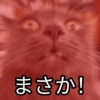
😳 Unbelievable!
A startled cat with wide eyes and a shocked zoom effect. Use for shocking or unbelievable news.
-

⚔️ Die!
Two fierce animals confronting each other in a red haze. Use for extreme mock-aggression.
-
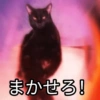
🐱 Leave it to me!
A dark cat confidently taking charge. Use when volunteering or taking responsibility.
-

🤨 Really?
A koala-like face staring in disbelief. Use when doubting what you just heard.
-
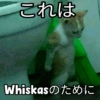
🐱 For Whiskas
A cat in a green seat with a playful branded joke. Use for sarcastic product or brand jokes.
-

🐒 I’ll kill you!
A furious monkey in a mock-threatening pose. For overreacting in a playful, dramatic way.
-

😊 I’m happy
A raccoon with clasped paws and a grateful look. Use when grateful or pleasantly surprised.
-

☠️ You’re already dead
A dog delivering a deadly finishing move. Use for mock-finality or dramatic defeat.
-
👀 Interesting
A black cat looking eerie and curious. Use when something catches your attention.
-
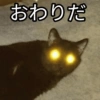
💀 It’s over
A black cat with glowing eyes lying deadpan on the floor. Use when something is completely finished.
-

😾 Obey!
A screaming cat in a fierce, commanding pose. Use for strict commands or joking dominance.
-

🚫 No way!
An intense red blur rejecting something outright. Use to strongly refuse or protest.
-
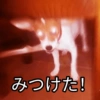
🔎 Found it!
A glowing-eyed dog or fox spotting something. Use when discovering or spotting an item.
-

🐰 Stop it!
A rabbit screaming in a fiery orange burst. Use to tell someone to stop immediately.
WhatsApp par download aur install karein
Is sticker pack ko apne WhatsApp par install karne ke liye Sticker Maker app zaroori hai. Agar aapke paas nahi hai, to yahan se download karein: Google Play Store aur App Store. Phone mein app aa jaane ke baad ye steps follow karein:
- Neeche di gayi sticker file download karein (iska extension .wastickers hai). Download hui file ko apne mobile mein dhoondhein aur us par tap karein. Aapka phone poochega ki ise kis app se kholna hai; Sticker Maker chunein. App is file ko automatically naye sticker pack ke roop mein pehchaan lega.
- Jab pack Sticker Maker mein dikh jaye, to "Meri library mein add karein" wala button dabayein, phir "WhatsApp mein add karein", bas ho gaya! Aapke naye stickers aapki saari WhatsApp chats mein use ke liye ready honge.
Sticker.ly se WhatsApp par install karein
Is pack ko add karne ka ek aasan tareeka hai Sticker.ly app. Agar aapke paas abhi tak nahi hai, to yahan se download karein: Google Play Store aur App Store. Phir in do aasan tareekon mein se ek chunein:
- Direct link se: Bas pack ke is link par tap karein: OMRUXI. Agar aapke paas Sticker.ly install hai, to stickers turant app mein dikh jayenge.
- Pack code se: Chahein to yahan tap karke "pack code" copy karein: aur use Sticker.ly app ke search bar mein paste kar dein.
Sticker.ly mein pahunchne ke baad "WhatsApp mein add karein" par tap karke confirm karein, aur stickers turant aapke WhatsApp app mein bhej diye jayenge.