

Reactions You Need
📦 A playful mix of funny and expressive reactions for everyday chats. Use when you want to react with humor, surprise, awkwardness, or disbelief. 'Reactions You Need' pack mein 15 stickers hain high quality mein. WhatsApp par install karne ke liye free download.
-

🤦 Facepalm Duck
A cartoon duck covering its face in frustration. Use when something is painfully awkward or disappointing.
-
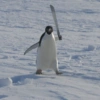
😎 Tiny Swagger
A penguin posing with a sword in a dramatic, absurd way. Use for fake confidence, silly triumph, or ironic power.
-

😬 Nervous Grin
SpongeBob with a jittery, uneasy expression. Use when you are panicking but trying to look okay.
-
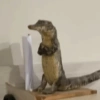
🤨 Judging Lizard
A small reptile staring with suspicious, skeptical energy. Use when you are side-eyeing a questionable situation.
-

👀 Side-Eye Pup
A small dog giving a cautious side glance. Use when you are unsure, skeptical, or quietly judging.
-
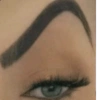
🤨 Raised Brow
A close-up eyebrow and eye giving a skeptical look. Use when you are unconvinced and mildly judging.
-

😅 Fits Right In
Lisa Simpson sitting awkwardly in a room, laughing through discomfort. Use when you feel awkward but are trying to stay composed.
-

😴 Sleepy Cloak
A sleepy girl wrapped in a blanket, shuffling out of bed. Use when you are barely awake or too tired to function.
-

✋ Please Hold
A tiny dog offering a paw as if to stop or pause the conversation. Use to ask for a moment, pause, or gentle stop.
-

✅ Nailed It
A man calmly watching a baby swing on a taped wall contraption. Use for absurd success, chaotic competence, or sarcastic approval.
-

😳 Wide-Eyed
A dizzy, wide-eyed yellow face staring blankly. Use when you are stunned, confused, or processing too much at once.
-

👉 Pointing Order
A man pointing firmly from a chair, like he’s making a command. Use when you’re directing, insisting, or emphatically choosing.
-

🎤 Press Conference Chaos
A child talking to a crowd of microphones, looking tiny but determined. Use for public drama, unexpected attention, or chaotic statements.
-

🐔 Chicken Panic
A blurry chicken in a frantic, chaotic close-up. Use for extreme panic, confusion, or total meltdown.
-

🥺 Shielded Pup
A cute dog peeking out from under someone’s arm. Use when you want to hide, feel safe, or stay close.
WhatsApp par download aur install karein
Is sticker pack ko apne WhatsApp par install karne ke liye Sticker Maker app zaroori hai. Agar aapke paas nahi hai, to yahan se download karein: Google Play Store aur App Store. Phone mein app aa jaane ke baad ye steps follow karein:
- Neeche di gayi sticker file download karein (iska extension .wastickers hai). Download hui file ko apne mobile mein dhoondhein aur us par tap karein. Aapka phone poochega ki ise kis app se kholna hai; Sticker Maker chunein. App is file ko automatically naye sticker pack ke roop mein pehchaan lega.
- Jab pack Sticker Maker mein dikh jaye, to "Meri library mein add karein" wala button dabayein, phir "WhatsApp mein add karein", bas ho gaya! Aapke naye stickers aapki saari WhatsApp chats mein use ke liye ready honge.
Sticker.ly se WhatsApp par install karein
Is pack ko add karne ka ek aasan tareeka hai Sticker.ly app. Agar aapke paas abhi tak nahi hai, to yahan se download karein: Google Play Store aur App Store. Phir in do aasan tareekon mein se ek chunein:
- Direct link se: Bas pack ke is link par tap karein: GEFGB7. Agar aapke paas Sticker.ly install hai, to stickers turant app mein dikh jayenge.
- Pack code se: Chahein to yahan tap karke "pack code" copy karein: aur use Sticker.ly app ke search bar mein paste kar dein.
Sticker.ly mein pahunchne ke baad "WhatsApp mein add karein" par tap karke confirm karein, aur stickers turant aapke WhatsApp app mein bhej diye jayenge.
Telegram par use karein
Telegram users ke liye sticker pack install karna bilkul aasan hai, ye feature app mein hi hai. Bas is link par jaayein, jo aapko Telegram par le jayega: stickerly_GEFGB7_by_stickerly_official_bot. App khulte hi aapko pack dikh jayega aur aap use apni library mein add kar sakte hain, kisi doosre app ki zaroorat nahi.























