

Lisa My Girl
📦 Cute Lisa reactions for every mood: sweet smiles, side-eyes, shock, playful poses and sneaky peeks. Includes a heart portrait to point at someone special. Use these to smile, tease, look shocked, act cute, peek in, or show someone they are your person. 'Lisa My Girl' pack mein 10 stickers hain high quality mein. WhatsApp par install karne ke liye free download. In stickers ke phrases Spanish mein hain.
-

😊 Soft Smile
Blonde Lisa with bangs and a soft, charming smile. When you want to smile sweetly or say hi with charm.
-
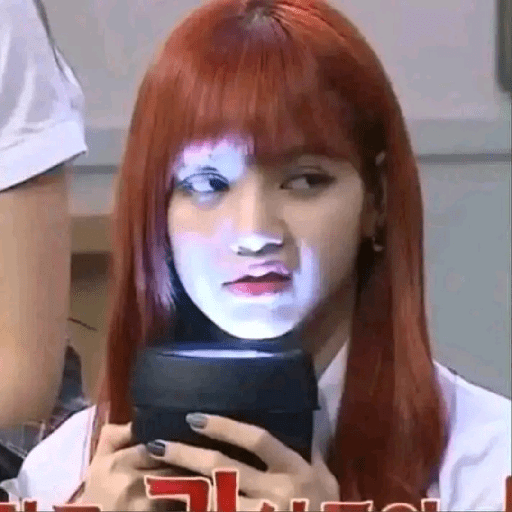
😒 Suspicious Look
Red-haired Lisa side-eyes while holding a black cup. When something seems off or you are unimpressed.
-

👀 Side-Eye
Lisa looks aside with a skeptical, waiting expression. Give a skeptical look or wait for someone to explain.
-

😋 Playful Bite
Playful Lisa with light hair posing cutely with chopsticks. Being cute while eating or acting playful and cheeky.
-

😁 Big Grin
Dark-haired girl with bangs flashing a big toothy grin. Show a huge happy smile or laugh along with someone.
-

😮 Jaw Drop
Lisa turns back with her mouth wide open in surprise. React with shock, excitement, or a loud gasp.
-

❤️ My Girl
A smiling woman with glasses inside a heart, fingers pointing. Point to someone you love or call them your person.
-

😏 Sneaky Peek
Red-haired Lisa peeks from behind a wall with a sly smile. Sneak a look, lurk in chat, or appear with a smirk.
-

😵 Wait, What?
Lisa looks stunned, with shock lines around her head. When you are confused, annoyed, or cannot believe it.
-

😮 Waos
Lisa reacts with Spanish slang "Waos" for wow. Drop a Spanish "wow" when something impresses you.
WhatsApp par download aur install karein
Is sticker pack ko apne WhatsApp par install karne ke liye Sticker Maker app zaroori hai. Agar aapke paas nahi hai, to yahan se download karein: Google Play Store aur App Store. Phone mein app aa jaane ke baad ye steps follow karein:
- Neeche di gayi sticker file download karein (iska extension .wastickers hai). Download hui file ko apne mobile mein dhoondhein aur us par tap karein. Aapka phone poochega ki ise kis app se kholna hai; Sticker Maker chunein. App is file ko automatically naye sticker pack ke roop mein pehchaan lega.
- Jab pack Sticker Maker mein dikh jaye, to "Meri library mein add karein" wala button dabayein, phir "WhatsApp mein add karein", bas ho gaya! Aapke naye stickers aapki saari WhatsApp chats mein use ke liye ready honge.
Sticker.ly se WhatsApp par install karein
Is pack ko add karne ka ek aasan tareeka hai Sticker.ly app. Agar aapke paas abhi tak nahi hai, to yahan se download karein: Google Play Store aur App Store. Phir in do aasan tareekon mein se ek chunein:
- Direct link se: Bas pack ke is link par tap karein: XKUTB0. Agar aapke paas Sticker.ly install hai, to stickers turant app mein dikh jayenge.
- Pack code se: Chahein to yahan tap karke "pack code" copy karein: aur use Sticker.ly app ke search bar mein paste kar dein.
Sticker.ly mein pahunchne ke baad "WhatsApp mein add karein" par tap karke confirm karein, aur stickers turant aapke WhatsApp app mein bhej diye jayenge.























