Cool & Cute Cats
📦 A delightful collection of expressive, humorous, and adorable cat moments—perfect for adding charm and laughter to any chat. Used in casual chats to convey emotions like coolness, surprise, cuteness, annoyance, or playfulness. Ideal for cat lovers and meme fans. 'Cool & Cute Cats' pack mein 15 stickers hain daily chats ke liye. WhatsApp par install karne ke liye free download.
-

😎 Cool Cat with Shades
A fluffy cat wearing blue sunglasses, exuding confidence and style. Use when feeling cool, unbothered, or pretending to be a movie star.
-

🤨 Suspicious Side-Eye
A cat glancing sideways with a skeptical, judgmental expression. When someone says something questionable or you’re doubting their intentions.
-

🤗 Cat Hug Attack
One cat hugging another from behind in a playful, affectionate way. To show overwhelming love, clinginess, or playful dominance.
-

🚗 Cat Driving a Car
A tabby cat with paws on the steering wheel, looking focused and serious. When you're taking charge, pretending to be in control, or joking about driving skills.
-

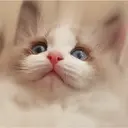
🧸 Bear-Eared Fluffy Cat
A white kitten wearing a pink fuzzy bear-ear hat, looking wide-eyed and innocent. When feeling extra cute, vulnerable, or wanting to melt hearts.
-
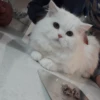
😤 Annoyed Cat Pose
A fluffy white cat with narrowed eyes and a paw raised, clearly annoyed. When you’re fed up, unimpressed, or need to signal ‘I’m done’.
-

😮 Two Cats Looking Up
Two curious cats gazing upward with wide eyes, as if spotting something amazing. When witnessing something surprising, magical, or unexpectedly wonderful.
-
😹 Cat Being Cheek-Puffed
A grey tabby cat with eyes closed and cheeks puffed by human hands, labeled 'elliot'. When being playfully teased, pampered, or showing off a silly, adorable moment.
-

😴 Sighing Cat
A tabby cat with a weary, resigned expression, eyes half-closed as if sighing deeply. When overwhelmed, exhausted, or reacting to something tedious or absurd.
-

👀 Peeking Curious Cat
A white cat peeking from behind furniture with wide, curious eyes and mouth slightly open. When spying, being nosy, or reacting to unexpected sounds or movements.
-

😴 Lazy Cat Face
A silver tabby cat lying down with droopy eyes and a relaxed expression, looking sleepy. When feeling lazy, unmotivated, or just needing a nap.
-

😳 Wide-Eyed Kitten
A grey-and-white kitten with enormous round eyes staring directly at the viewer. When shocked, innocent, or trying to win sympathy with big eyes.
-
🧼 Cat in Towel Hood
An orange tabby cat wrapped in a white towel with a hood, looking grumpy but clean. After a bath, feeling reluctantly clean, or playing dress-up.
-

😒 Pouty White Cat
A fluffy white cat with huge eyes and a pronounced pout, looking sad or demanding. When sulking, asking for treats, or expressing mild disappointment.
-
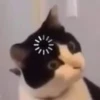
🖥️ Cat Peering from Behind Screen
A silver tabby cat peeking from behind a black vertical screen, eyes wide and alert. When secretly observing, being cautious, or hiding while staying curious.
WhatsApp par download aur install karein
Is sticker pack ko apne WhatsApp par install karne ke liye Sticker Maker app zaroori hai. Agar aapke paas nahi hai, to yahan se download karein: Google Play Store aur App Store. Phone mein app aa jaane ke baad ye steps follow karein:
- Neeche di gayi sticker file download karein (iska extension .wastickers hai). Download hui file ko apne mobile mein dhoondhein aur us par tap karein. Aapka phone poochega ki ise kis app se kholna hai; Sticker Maker chunein. App is file ko automatically naye sticker pack ke roop mein pehchaan lega.
- Jab pack Sticker Maker mein dikh jaye, to "Meri library mein add karein" wala button dabayein, phir "WhatsApp mein add karein", bas ho gaya! Aapke naye stickers aapki saari WhatsApp chats mein use ke liye ready honge.
Sticker.ly se WhatsApp par install karein
Is pack ko add karne ka ek aasan tareeka hai Sticker.ly app. Agar aapke paas abhi tak nahi hai, to yahan se download karein: Google Play Store aur App Store. Phir in do aasan tareekon mein se ek chunein:
- Direct link se: Bas pack ke is link par tap karein: OYYZ1A. Agar aapke paas Sticker.ly install hai, to stickers turant app mein dikh jayenge.
- Pack code se: Chahein to yahan tap karke "pack code" copy karein: aur use Sticker.ly app ke search bar mein paste kar dein.
Sticker.ly mein pahunchne ke baad "WhatsApp mein add karein" par tap karke confirm karein, aur stickers turant aapke WhatsApp app mein bhej diye jayenge.