🎃🦫Halloween Capybara 🎃🦫
📦 A whimsical collection of capybara stickers dressed in various Halloween costumes, perfect for adding a spooky touch to your messages. Use this pack to express Halloween spirit and bring a festive feel to your conversations. '🎃🦫Halloween Capybara 🎃🦫' pack mein 16 stickers hain mazedaar aur expressive. WhatsApp par install karne ke liye free download.
-
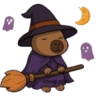
🧙♀️🌕 Capybara Witch on Broom
A capybara as a witch riding a broomstick, with ghosts and the moon. Great for magical or Halloween themes.
-

🧟♂️🌙 Capybara Mummy
A capybara wrapped like a mummy under a crescent moon. Use this for a spooky or eerie message.
-

🎃👻 Capybara Ghost
A capybara dressed as a ghost, sitting inside a carved pumpkin. Use for a playful or spooky theme.
-

🦇🎃 Capybara Vampire
A capybara dressed as a vampire in a pumpkin surrounded by bats. Use for a spooky or gothic vibe.
-

🏴☠️⚓️ Capybara Pirate
A capybara dressed as a pirate with an eyepatch and sword. Perfect for adventurous or rebellious themes.
-

💀🦇 Capybara Skeleton
A capybara in skeleton costume with bats flying around. Perfect for spooky or eerie expressions.
-
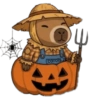
🌾🎃 Capybara Scarecrow
A capybara dressed as a scarecrow sitting inside a carved pumpkin. Ideal for autumn or harvest themes.
-

🎃🧙♀️⚗️ Capybara in Cauldron
A capybara sitting in a bubbling cauldron, wearing a witch hat. Great for mystical or magical themes.
-

😈🔱 Capybara Devil
A capybara dressed as a devil with red horns and a trident. Perfect for mischievous or devilish themes.
-

🎪🌕🦇 Capybara Clown
A capybara dressed as a clown, with a moon and bats around. Use this sticker to convey a sense of humor or surprise.
-
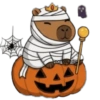
🎃👑 Capybara Mummy King
A capybara as a mummy king, sitting on a carved pumpkin with a crown. For a royal or spooky theme.
-
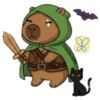
⚔️🐱🦇 Capybara Warrior
A capybara dressed as a warrior with a sword, accompanied by a black cat and bat. Use this to represent bravery or readiness for adventure.
-

👻💀 Capybara Frankenstein
A capybara dressed as Frankenstein's monster with moon and ghosts. Use for a classic horror or sci-fi theme.
-
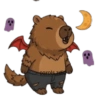
🐺🌙 Capybara Werewolf
A capybara dressed as a werewolf with red wings, under a crescent moon. Great for expressing wildness or transformation.
-
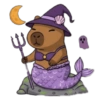
🧜♀️🧙♀️🔱 Capybara Mermaid Witch
A capybara dressed as a mermaid with a witch hat and trident. For magical or whimsical themes.
-

🦸♂️🌕 Capybara Superhero
A capybara dressed as a superhero with a cape and mask under the moon. Use this to show heroism or bravery.
WhatsApp par download aur install karein
Is sticker pack ko apne WhatsApp par install karne ke liye Sticker Maker app zaroori hai. Agar aapke paas nahi hai, to yahan se download karein: Google Play Store aur App Store. Phone mein app aa jaane ke baad ye steps follow karein:
- Neeche di gayi sticker file download karein (iska extension .wastickers hai). Download hui file ko apne mobile mein dhoondhein aur us par tap karein. Aapka phone poochega ki ise kis app se kholna hai; Sticker Maker chunein. App is file ko automatically naye sticker pack ke roop mein pehchaan lega.
- Jab pack Sticker Maker mein dikh jaye, to "Meri library mein add karein" wala button dabayein, phir "WhatsApp mein add karein", bas ho gaya! Aapke naye stickers aapki saari WhatsApp chats mein use ke liye ready honge.
Sticker.ly se WhatsApp par install karein
Is pack ko add karne ka ek aasan tareeka hai Sticker.ly app. Agar aapke paas abhi tak nahi hai, to yahan se download karein: Google Play Store aur App Store. Phir in do aasan tareekon mein se ek chunein:
- Direct link se: Bas pack ke is link par tap karein: NI4FFB. Agar aapke paas Sticker.ly install hai, to stickers turant app mein dikh jayenge.
- Pack code se: Chahein to yahan tap karke "pack code" copy karein: aur use Sticker.ly app ke search bar mein paste kar dein.
Sticker.ly mein pahunchne ke baad "WhatsApp mein add karein" par tap karke confirm karein, aur stickers turant aapke WhatsApp app mein bhej diye jayenge.
Telegram par use karein
Telegram users ke liye sticker pack install karna bilkul aasan hai, ye feature app mein hi hai. Bas is link par jaayein, jo aapko Telegram par le jayega: stickerly_NI4FFB_by_stickerly_official_bot. App khulte hi aapko pack dikh jayega aur aap use apni library mein add kar sakte hain, kisi doosre app ki zaroorat nahi.