Ggg
📦 'Ggg' pack mein 30 stickers hain mazedaar aur expressive. WhatsApp par install karne ke liye free download.
-

SEDOT QURADI excited berlebih 084 567 891 011
-

-

gua sih malu wikihow
-

Tak kuasa melihat 0 Fakta seterang ini
-
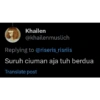
Khailen @khailenmuslich Replying to @riseris_risriis Suruh ciuman aja tuh berdua Translate post
-

PERBAIKI AKAL SEHATMU
-

FORK fufufafa 16-06-2017 10:48 Ini ulama palsu tukang tipu
-

ngomong sekali lagi gue sihir lu jadi bakul nasi
-

flo @hourlymee Gue tinggal di negara apasih ya Allahhhh 3:36 PM - Dec 4, 2024
-

-

-

-

panteq
-

-

"oalah pantes
-

caniii it's called caper, honey manusia itu makhluk yang haus akan validasi
-

-

maaf suka emosian dikarenakan orang orang pada kek tai
-

GOSONG CHEF
-

Attention Charlie Puth You just want attention, you don't want my heart Spotify
-

-

brisix benconk
-

well shit
-

AU COOK The fatores altan Biyle SHUT ONEME 175g GATELLI COOK a The Famous Dralian Style HAZELNUT CREME 175ge COOR MAZELNUT ONEME 1709 ΠΟΝ
-

SEMUA INI SALAH PEMERINTAH
-

NIKAH ITU LUGUMEME.COM LOMBA LAMA2AN BUKAN DULU2AN
-

minta maaf di atas sapi
-

-

HAI SAYA KEMBALI
-

KEPLAK NDASMU
WhatsApp par download aur install karein
Is sticker pack ko apne WhatsApp par install karne ke liye Sticker Maker app zaroori hai. Agar aapke paas nahi hai, to yahan se download karein: Google Play Store aur App Store. Phone mein app aa jaane ke baad ye steps follow karein:
- Neeche di gayi sticker file download karein (iska extension .wastickers hai). Download hui file ko apne mobile mein dhoondhein aur us par tap karein. Aapka phone poochega ki ise kis app se kholna hai; Sticker Maker chunein. App is file ko automatically naye sticker pack ke roop mein pehchaan lega.
- Jab pack Sticker Maker mein dikh jaye, to "Meri library mein add karein" wala button dabayein, phir "WhatsApp mein add karein", bas ho gaya! Aapke naye stickers aapki saari WhatsApp chats mein use ke liye ready honge.
Sticker.ly se WhatsApp par install karein
Is pack ko add karne ka ek aasan tareeka hai Sticker.ly app. Agar aapke paas abhi tak nahi hai, to yahan se download karein: Google Play Store aur App Store. Phir in do aasan tareekon mein se ek chunein:
- Direct link se: Bas pack ke is link par tap karein: P1830C. Agar aapke paas Sticker.ly install hai, to stickers turant app mein dikh jayenge.
- Pack code se: Chahein to yahan tap karke "pack code" copy karein: aur use Sticker.ly app ke search bar mein paste kar dein.
Sticker.ly mein pahunchne ke baad "WhatsApp mein add karein" par tap karke confirm karein, aur stickers turant aapke WhatsApp app mein bhej diye jayenge.
Telegram par use karein
Telegram users ke liye sticker pack install karna bilkul aasan hai, ye feature app mein hi hai. Bas is link par jaayein, jo aapko Telegram par le jayega: stickerly_P1830C_by_stickerly_official_bot. App khulte hi aapko pack dikh jayega aur aap use apni library mein add kar sakte hain, kisi doosre app ki zaroorat nahi.