IPhone emoji food 2 🌭
📦 A collection of food-themed emojis from iPhone, showcasing a variety of delicious treats and meals. Explore a diverse set of food emojis from iPhone, perfect for expressing culinary delights in messages. 'IPhone emoji food 2 🌭' pack mein 30 stickers hain mazedaar aur expressive. WhatsApp par install karne ke liye free download.
-

🍰 Chocolate Cake Slice
A rich slice of chocolate cake with a strawberry garnish. Great for sharing during dessert time.
-

🎂 Strawberry Cake
A white cake with strawberries and candles on top. Great for birthdays and celebrations.
-

🍰 Cheesecake Slice
A slice of cheesecake topped with raspberries. Share during dessert time.
-
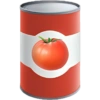
🍅 Tomato Soup Can
A can with a label showing a ripe tomato, typical for tomato soup. Use in cooking or shopping related chats.
-

🧁 Cupcake with Sprinkles
A cupcake topped with icing and colorful sprinkles. Great for parties and celebrations.
-

🎂 Lemon Drizzle Cake
A luscious lemon drizzle cake with layered cream and lemon slices. Great for special events.
-

🍩 Chocolate Donut
A chocolate glazed donut with colorful sprinkles. Ideal for sweet tooth chats.
-

🤎 Cinnamon Roll
A warm cinnamon roll with white icing on top. Ideal for breakfast or snacks.
-

🥧 Whole Pie
A whole pie with a golden crust, ready for slicing. Ideal for holiday gatherings.
-

🍰 Bundt Cake
A bundt cake with white icing drizzled on top. Ideal for coffee breaks.
-

🍫 Chocolate Raspberry Cake
A layered chocolate cake topped with raspberries. Share with chocolate lovers.
-

🍫 Chocolate Drip Cake
A rich chocolate cake with decorative drip and chocolate roses. Perfect for chocolate enthusiasts.
-

🍋 Lemon Cake Slice
A slice of lemon cake topped with lemon glaze and slices. Great for messages about desserts or parties.
-

🍬 Yellow Macaron
A single yellow macaron, sweet and delightful. Share for a touch of sweetness.
-

🥧 Apple Pie Slice
A slice of delicious apple pie with a lattice crust. Perfect for dessert lovers.
-

🍔 Cheeseburger
A cheeseburger with a slice of tomato and melted cheese. Popular in fast food discussions.
-

🎂 Birthday Cake
A cake with blue icing and lit candles, perfect for birthdays. Share on special occasions.
-

🍪 Chocolate Chip Cookie
A classic chocolate chip cookie, crunchy and sweet. Ideal for bake sales or snack time.
-

🥞 Chocolate Pancakes
A stack of pancakes topped with chocolate syrup. Share during breakfast or brunch.
-

🍔 Cheeseburger
A delicious cheeseburger with lettuce, cheese, and bacon. Perfect for fast food lovers.
-

🍟 Poutine
A Canadian dish featuring fries topped with cheese curds and gravy. Share a taste of Canada.
-

🌭 Hot Dog
A hot dog in a bun with mustard and toppings. Classic choice for quick meals.
-

🍕 Pepperoni Pizza
A classic pepperoni pizza, sliced and ready to eat. Perfect for pizza nights.
-

🥜 Peanut Butter Jar
A jar filled with creamy peanut butter. Great for messages about snacks or recipes.
-

🍓 Fruit Bowl
A bowl filled with a variety of fresh fruits like bananas, strawberries, and blueberries. A healthy eating option.
-

🥪 Club Sandwich
A club sandwich with multiple layers including lettuce, tomato, and meat. Perfect for lunch breaks.
-

🍲 Soup Pot
A pot filled with hot soup, garnished with herbs. Use for discussions about cooking or comfort food.
-

🥪 Sub Sandwich
A sub sandwich filled with layers of cheese, meats, and lettuce. Ideal for a hearty meal.
-

🥯 Plain Bagel
A plain bagel, ready for your favorite toppings. Use in breakfast or brunch conversations.
-

🍋 Lemon Layer Cake
A lemon flavored cake with layers and lemon slices on top. Ideal for citrus dessert lovers.
WhatsApp par download aur install karein
Is sticker pack ko apne WhatsApp par install karne ke liye Sticker Maker app zaroori hai. Agar aapke paas nahi hai, to yahan se download karein: Google Play Store aur App Store. Phone mein app aa jaane ke baad ye steps follow karein:
- Neeche di gayi sticker file download karein (iska extension .wastickers hai). Download hui file ko apne mobile mein dhoondhein aur us par tap karein. Aapka phone poochega ki ise kis app se kholna hai; Sticker Maker chunein. App is file ko automatically naye sticker pack ke roop mein pehchaan lega.
- Jab pack Sticker Maker mein dikh jaye, to "Meri library mein add karein" wala button dabayein, phir "WhatsApp mein add karein", bas ho gaya! Aapke naye stickers aapki saari WhatsApp chats mein use ke liye ready honge.
Sticker.ly se WhatsApp par install karein
Is pack ko add karne ka ek aasan tareeka hai Sticker.ly app. Agar aapke paas abhi tak nahi hai, to yahan se download karein: Google Play Store aur App Store. Phir in do aasan tareekon mein se ek chunein:
- Direct link se: Bas pack ke is link par tap karein: GB29AT. Agar aapke paas Sticker.ly install hai, to stickers turant app mein dikh jayenge.
- Pack code se: Chahein to yahan tap karke "pack code" copy karein: aur use Sticker.ly app ke search bar mein paste kar dein.
Sticker.ly mein pahunchne ke baad "WhatsApp mein add karein" par tap karke confirm karein, aur stickers turant aapke WhatsApp app mein bhej diye jayenge.
Telegram par use karein
Telegram users ke liye sticker pack install karna bilkul aasan hai, ye feature app mein hi hai. Bas is link par jaayein, jo aapko Telegram par le jayega: stickerly_GB29AT_by_stickerly_official_bot. App khulte hi aapko pack dikh jayega aur aap use apni library mein add kar sakte hain, kisi doosre app ki zaroorat nahi.