I am them - pt2
📦 A chaotic meme sticker pack with Flork-like absurd reactions, animals, kids, and dramatic facepalm moments. For joking, reacting, teasing, and expressing awkward or dramatic feelings. 'I am them - pt2' pack mein 12 stickers hain jo aapko pasand aayenge. WhatsApp par install karne ke liye free download.
-

😫 Green beans attack
A monkey intensely trying to handle a bowl of green beans. When the situation is oddly difficult or you’re struggling with a small task.
-

😄 Serving energy
A goofy bird ladles something with a huge grin. For cheerful, over-the-top enthusiasm.
-

😐 Deadpan dinner
A clay penguin sits at the table with a blank stare and utensils ready. For awkward silence, disappointment, or being emotionally unavailable.
-

💅 So fancy
A woman poses with a playful, confident stance and raised hands. For jokingly acting stylish, dramatic, or extra.
-

😡 Tiny teeth rage
A tiny dog snarls right into the camera. For fake anger, defensive energy, or overreacting.
-

❤️ Peekaboo heart
A child forms a heart shape in front of their face. For affection, sweetness, or playful love.
-

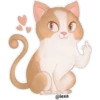
🤦 Facepalm overload
A cartoon cat covers its face in total embarrassment. For secondhand embarrassment or being done with everything.
-
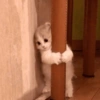
👀 Stuck and judging
A kitten clings to a post while peeking around it. For hesitating, spying, or awkwardly lingering.
-
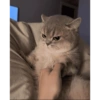
😾 Pet me with respect
A grumpy cat tolerates a hand touching its chest. For reluctant affection, tolerance, or judging the person petting you.
-

🤨 Skeptical dog
A dog stares with raised brows and a judging expression on the couch. For disbelief, side-eye, or mild judgment.
-

😏 The side-eye kid
A kid glances sideways with a sly little smile. For suspicion, teasing, or knowing too much.
-
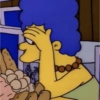
🤦 Homer fail
A cartoon woman facepalms in the kitchen after seeing the obvious. For obvious mistakes, self-judgment, or exasperation.
WhatsApp par download aur install karein
Is sticker pack ko apne WhatsApp par install karne ke liye Sticker Maker app zaroori hai. Agar aapke paas nahi hai, to yahan se download karein: Google Play Store aur App Store. Phone mein app aa jaane ke baad ye steps follow karein:
- Neeche di gayi sticker file download karein (iska extension .wastickers hai). Download hui file ko apne mobile mein dhoondhein aur us par tap karein. Aapka phone poochega ki ise kis app se kholna hai; Sticker Maker chunein. App is file ko automatically naye sticker pack ke roop mein pehchaan lega.
- Jab pack Sticker Maker mein dikh jaye, to "Meri library mein add karein" wala button dabayein, phir "WhatsApp mein add karein", bas ho gaya! Aapke naye stickers aapki saari WhatsApp chats mein use ke liye ready honge.
Sticker.ly se WhatsApp par install karein
Is pack ko add karne ka ek aasan tareeka hai Sticker.ly app. Agar aapke paas abhi tak nahi hai, to yahan se download karein: Google Play Store aur App Store. Phir in do aasan tareekon mein se ek chunein:
- Direct link se: Bas pack ke is link par tap karein: 3VBL9H. Agar aapke paas Sticker.ly install hai, to stickers turant app mein dikh jayenge.
- Pack code se: Chahein to yahan tap karke "pack code" copy karein: aur use Sticker.ly app ke search bar mein paste kar dein.
Sticker.ly mein pahunchne ke baad "WhatsApp mein add karein" par tap karke confirm karein, aur stickers turant aapke WhatsApp app mein bhej diye jayenge.
Telegram par use karein
Telegram users ke liye sticker pack install karna bilkul aasan hai, ye feature app mein hi hai. Bas is link par jaayein, jo aapko Telegram par le jayega: stickerly_3VBL9H_by_stickerly_official_bot. App khulte hi aapko pack dikh jayega aur aap use apni library mein add kar sakte hain, kisi doosre app ki zaroorat nahi.