Stiker anomali cegil
📦 'Stiker anomali cegil ' pack mein 11 stickers hain share karne ke liye ready. WhatsApp par install karne ke liye free download.
-
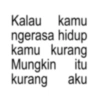
Kalau kamu ngerasa hidup kamu kurang Mungkin itu kurang aku
-
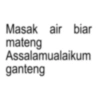
Masak air biar mateng Assalamualaikum ganteng
-
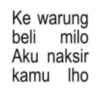
Ke warung beli milo Aku naksir kamu lho
-
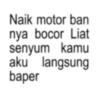
Naik motor ban nya bocor Liat senyum kamu aku langsung baper
-
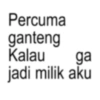
Percuma ganteng ga Kalau jadi milik aku
-
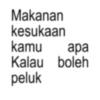
Makanan kesukaan kamu apa Kalau boleh peluk
-
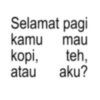
Selamat pagi kamu mau kopi, teh, atau aku?
-
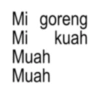
Mi goreng Mi Muah Muah kuah
-
Plek ketiplek mirip jodoh aku banget
-
Di sini cuaca nya panas, kalau di sana udah suka aku belum?
-
Semua cowo sama Kalau aja kamu sama aku aja
WhatsApp par download aur install karein
Is sticker pack ko apne WhatsApp par install karne ke liye Sticker Maker app zaroori hai. Agar aapke paas nahi hai, to yahan se download karein: Google Play Store aur App Store. Phone mein app aa jaane ke baad ye steps follow karein:
- Neeche di gayi sticker file download karein (iska extension .wastickers hai). Download hui file ko apne mobile mein dhoondhein aur us par tap karein. Aapka phone poochega ki ise kis app se kholna hai; Sticker Maker chunein. App is file ko automatically naye sticker pack ke roop mein pehchaan lega.
- Jab pack Sticker Maker mein dikh jaye, to "Meri library mein add karein" wala button dabayein, phir "WhatsApp mein add karein", bas ho gaya! Aapke naye stickers aapki saari WhatsApp chats mein use ke liye ready honge.
Sticker.ly se WhatsApp par install karein
Is pack ko add karne ka ek aasan tareeka hai Sticker.ly app. Agar aapke paas abhi tak nahi hai, to yahan se download karein: Google Play Store aur App Store. Phir in do aasan tareekon mein se ek chunein:
- Direct link se: Bas pack ke is link par tap karein: KSN9ZK. Agar aapke paas Sticker.ly install hai, to stickers turant app mein dikh jayenge.
- Pack code se: Chahein to yahan tap karke "pack code" copy karein: aur use Sticker.ly app ke search bar mein paste kar dein.
Sticker.ly mein pahunchne ke baad "WhatsApp mein add karein" par tap karke confirm karein, aur stickers turant aapke WhatsApp app mein bhej diye jayenge.